
 Book Free Consultation

Salesforce Commerce Cloud Integrations
Discover the top 10 integrations that supercharge Salesforce Commerce Cloud - from analytics to payments, CMS, marketing, and customer support tools.
By Pasupathiragavan Marimuthu
Senior Salesforce Developer
Top 10 Salesforce Commerce Cloud Integrations
Salesforce Commerce Cloud (SFCC) is a powerful eCommerce platform used by global brands. However, to unlock its full potential, integrating it with other tools and services is essential. From streamlining payments to enhancing customer engagement, these integrations help businesses deliver seamless, personalized shopping experiences. Whether you're optimizing search, automating marketing, or managing inventory, the right tools can elevate your SFCC implementation. In this blog, we explore the top 10 must-have integrations for Salesforce Commerce Cloud—each chosen for its ability to drive performance, scalability, and customer satisfaction. Here are the top 10 must-have integrations for Salesforce Commerce Cloud.
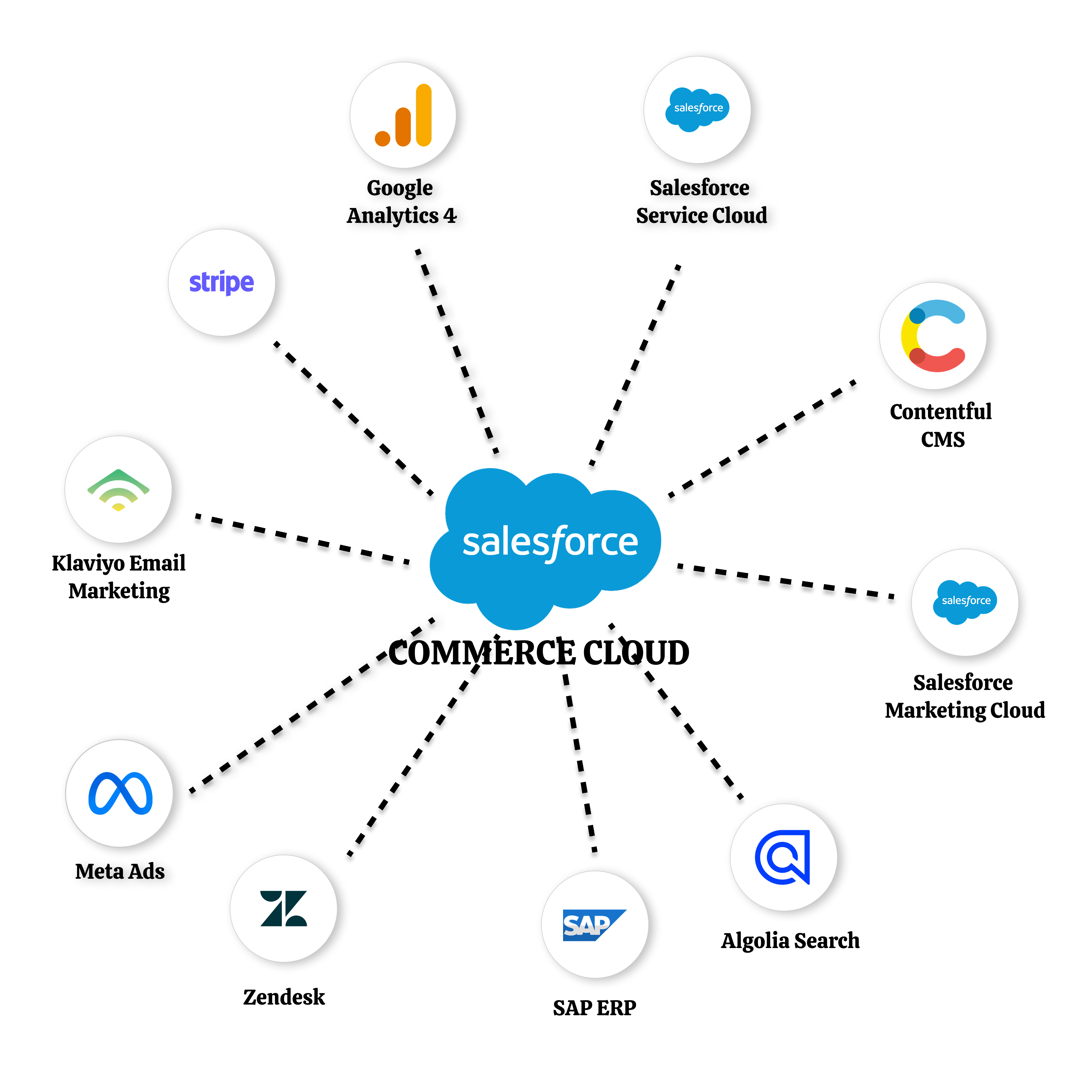
1. Google Analytics 4 (GA4) Integration
Google Analytics 4 (GA4) integration is a vital component of any Salesforce Commerce Cloud (SFCC) implementation. GA4 integration helps track ecommerce events, user journeys, and product performance. It allows merchants to gain insights into how customers interact with the store, enabling data-driven decisions that enhance user experience and conversions. With real-time reporting and predictive metrics, GA4 empowers brands to optimize marketing efforts and personalize content delivery. Its flexible event-based model ensures deeper visibility into customer behavior across devices and channels. For SFCC users, GA4 is a powerful tool to drive smarter growth and performance.
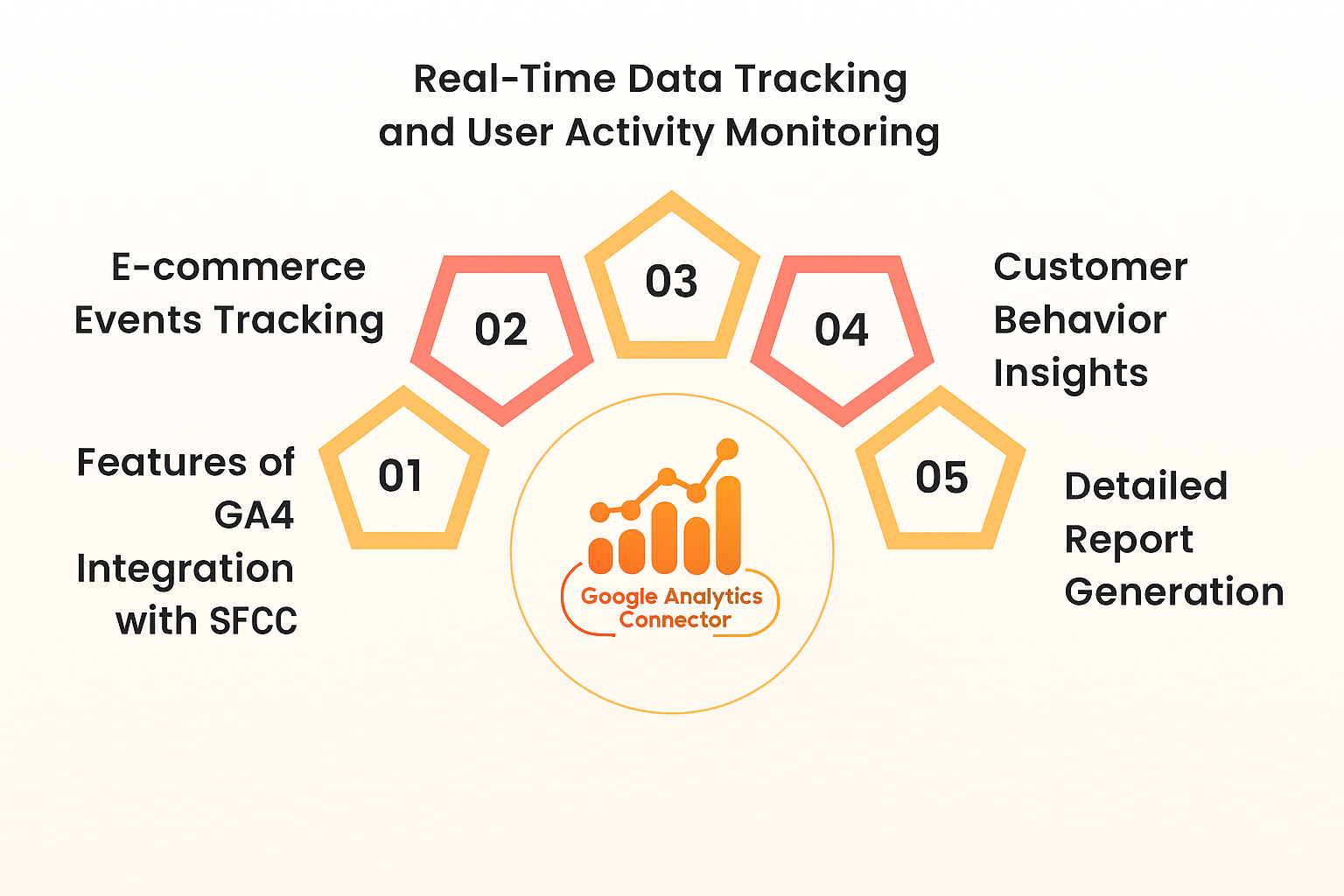
Purpose: Track website traffic, conversions, and user behavior.
Pros:
Provides detailed visibility into how customers browse, engage, and purchase across the store.
Tracks user actions granularly, enabling precise analysis of key interactions.
Helps refine targeting and spending by identifying high-performing channels and audience segments.
Can be implemented quickly through Google Tag Manager or native connectors, reducing development effort.
Cons:
Requires familiarity with analytics concepts and tagging to leverage full capabilities.
Incorrect tag or event setup can lead to inaccurate data and reporting gaps.
Reports and insights are often delayed, making instant decision-making challenging.
2. Salesforce Service Cloud Integration
Salesforce Service Cloud integration empowers Commerce Cloud storefronts with real-time customer support capabilities. It enables real-time customer case management directly from the storefront. This integration creates a seamless support experience by automatically generating and tracking service cases from customer actions on the site. Agents gain full visibility into customer interactions, allowing faster resolution and personalized service. The result is a unified experience that boosts customer satisfaction and operational efficiency.
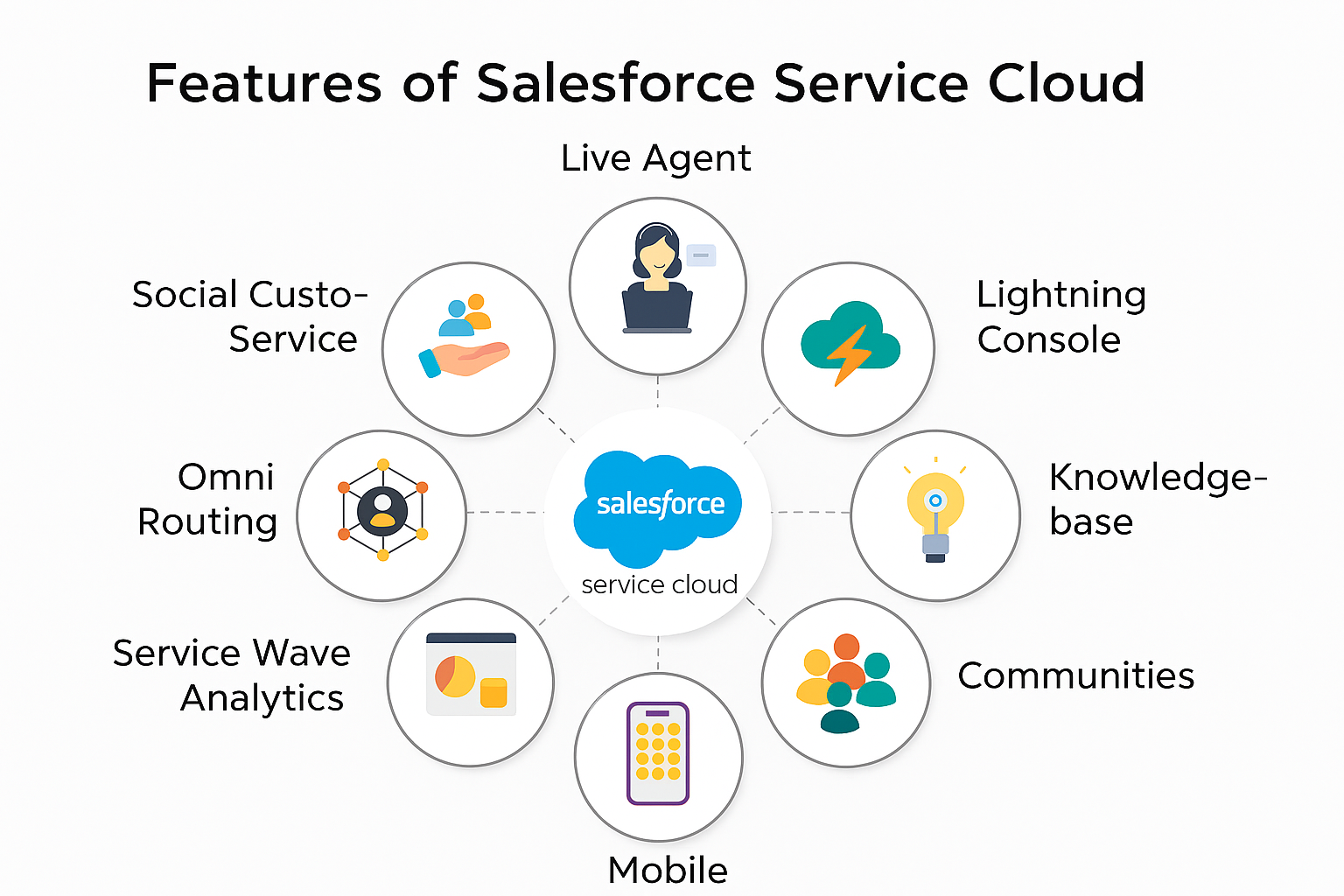
Purpose: Sync customer service, order tracking, and support with your storefront.
Pros:
Service agents get full customer journey visibility from SFCC, enabling smooth and contextual support.
Unified customer and order data reduces investigation time and speeds up case closure.
Support cases and order activities update instantly across both systems for accurate handling.
Cons:
Requires detailed configuration and mapping.
Increasing integration costs.
3. Stripe Payment Gateway Integration
Stripe Payment Gateway integration is a key enhancement for Salesforce Commerce Cloud storefronts. It enables secure, fast, and globally accepted payments via Stripe. With built-in fraud protection and seamless checkout, Stripe enhances the customer purchase experience and supports multiple currencies. Merchants benefit from simplified payment processing and real-time transaction insights. This integration ensures a smooth, trustworthy checkout flow that boosts conversions and customer satisfaction.
Purpose: Enable secure and smooth payments.
Pros:
Ensures secure payment processing and reduces the burden of PCI compliance for merchants.
Provides a smooth and quick payment experience, improving conversion rates.
Supports multiple payment methods to cater to diverse customers.
Cons:
Charges per transaction can add up, especially for high-volume businesses.
Some payment methods and features are not available in all countries or regions.
4. Contentful CMS Integration
Contentful CMS integration brings headless flexibility to Salesforce Commerce Cloud storefronts. Manage content blocks and dynamic sections with a headless CMS. Contentful allows business teams to independently update and maintain content, improving agility and reducing dependency on developers. This empowers marketers to deliver timely, personalized experiences without code changes. The result is faster content deployment and a more scalable digital strategy.
Purpose: Deliver dynamic and headless CMS content to your storefront.
Pros:
Headless and flexible.
Business users can manage content easily through an intuitive UI without developer involvement.
Cons:
Custom integration is required.
Setting up real-time content previews across environments can be technically challenging.
5. Salesforce Marketing Cloud Integration
Salesforce Marketing Cloud integration brings powerful automation to Salesforce Commerce Cloud storefronts. It enables brands to automate targeted email, SMS, and push campaigns. Marketing Cloud integration helps personalize communications and track campaign effectiveness across customer touchpoints. With unified customer profiles and journey mapping, businesses can deliver timely, relevant messages. This drives engagement, loyalty, and measurable ROI across the entire customer lifecycle.
Purpose: Sync customer data and campaigns for personalized marketing.
Pros:
Enables automated, personalized customer journeys across email, SMS, push, and ads.
Allows precise audience grouping using behavioral, demographic, and transactional data.
Cons:
Licensing and add-on features can significantly increase overall costs.
Platform complexity demands skilled resources for setup, automation, and optimization.
6. Algolia Search Integration
Boost search performance and instant suggestions. Algolia helps create a fast, responsive, and intuitive search experience, leading to increased conversions and customer satisfaction.
Purpose: Deliver instant, fast, and intelligent product search.
Pros:
Delivers ultra-low-latency search results, improving product discovery and conversion.
Returns accurate results even when users misspell queries or use partial terms.
Developer-friendly
Cons:
This is a paid service.
Out-of-the-box widgets need UI customization to match brand design and UX.
7. SAP ERP Integration
Synchronize inventory, pricing, and order details with SAP. This integration streamlines backend operations and ensures consistency across channels by providing real-time data flow.
Purpose: Connect inventory, pricing, and order fulfillment data.
Pros:
Combines commerce, inventory, pricing, and order data into a single source of truth across systems.
Streamlined data flow between SAP and SFCC reduces manual effort and improves order management speed and accuracy.
Cons:
Complex implementation
Integration is costly.
8. Klaviyo Email Marketing Integration
Run effective email and SMS campaigns for ecommerce. Klaviyo empowers merchants with automated workflows and robust segmentation for improved engagement and sales.
Purpose: Send behavior-based emails using real-time Commerce Cloud data.
Pros:
Easy automation
Designed specifically for ecommerce, offering deep insights into shopper behavior, cart activity, and purchase patterns.
Cons:
Requires time to understand segmentation, flows, and personalization features for best results.
Data dependency.
9. Meta (Facebook & Instagram) Ads Integration
Track user behavior and retarget customers using Facebook Pixel. This tool provides essential data for optimizing ad spend and improving ad targeting accuracy.
Purpose: Run personalized dynamic ads and track ROI.
Pros:
Enables creation of highly targeted audiences using SFCC customer and purchase data.
Retargeting boost
Cons:
Consent compliance required
Ad blockers may block pixel
10. Zendesk Integration for Customer Support
Provide live chat support directly on the SFCC storefront. With Zendesk, agents can proactively assist customers and resolve queries instantly, enhancing the shopping experience.
Purpose: Enable seamless support chat and ticketing.
Pros:
Enables live chat and ticket management directly during the shopping experience, improving customer satisfaction.
Provides instant communication and proactive outreach, reducing cart abandonment and boosting conversions.
Cons:
Live chat depends on team bandwidth - delays or offline hours can negatively impact experience.
Advanced features like automation, analytics, and custom routing are restricted without paid plans.
Other Useful SFCC Integrations
Yotpo – Boosts customer trust and retention with reviews, ratings, loyalty programs, and user-generated content.
Adyen – A global payment solution offering multi-currency support, fraud protection, and unified commerce.
Avalara – Automates tax calculation, compliance, and reporting across regions, ideal for cross-border commerce.
ShipperHQ – Enhances shipping logic with real-time rate calculations, delivery options, and carrier rules.
Segment (Twilio) – Unifies customer data across platforms to enable personalized experiences and advanced analytics.
Nosto – AI-driven personalization engine for product recommendations, dynamic content, and behavioral targeting.
Trustpilot – Collects and displays verified customer reviews to build credibility and improve conversion rates.
Recurly – Manages subscription billing, renewals, and recurring payments for subscription-based commerce models.
Hotjar – Provides heatmaps, session recordings, and feedback tools to understand user behavior and improve UX.
OneTrust – Ensures privacy compliance with GDPR, CCPA, and other regulations through consent management tools.
Conclusion
Integrating Salesforce Commerce Cloud with the right tools enhances your store's performance, user experience, and operations. From analytics and payments to content management and customer support, each integration plays a vital role in streamlining workflows and boosting engagement. These top 10 integrations empower teams to deliver faster, smarter, and more personalized shopping experiences. Whether you're a growing brand or an enterprise retailer, choosing the right combination of tools can drive measurable impact. Start with the integrations most critical to your business and scale up from there. As your digital strategy evolves, these integrations will help you stay agile and competitive. The result is a connected, data-driven commerce ecosystem built for long-term success. Power up your SFCC storefront with top integrations and scale your ecommerce success!
