
 Book Free Consultation

How to Build an Engagement Studio Flow in Account Engagement
Building an Engagement Studio flow within Account Engagement (Pardot): A straightforward guide to creating automation flows that will work for you
By Lakshmanan Chinnappan
Assistant Software Developer
How to Build an Engagement Studio Flow in Account Engagement- Pardot
Hey readers! It has become super challenging to engage our audience on a regular basis as our messages and emails tend to appear too often before them. Therefore, we must think of better methods and techniques to engage our audience. And for this purpose, Salesforce provides us with Engagement Studio, which is super helpful in creating effective and engaging marketing activities. So let’s take a look at how exactly we can build or create an Engagement Studio in the Account Engagement process.
Prerequire Process:
Firstly, determine the target audience; we need to figure out what kind of audience we would like to engage through our Account Engagement program, and accordingly, we need to build our marketing campaigns. Our audience can be categorized based on their industry, type of customer, interest, and where the customer in their buying journey.
Secondly, we should prepare our prospect list; once we have our target audience in mind, we can start preparing our prospect list in the Account Engagement platform, accordingly, keeping in mind who is going to be included in our Engagement Studio.
Lastly, we need to prepare our email templates; we need to design the email templates that we are going to send to our target customers through the Engagement Studio process. The emails should be relevant to our audience, and we should also remember the ultimate purpose of our marketing campaigns
(Note: prospect is a person or potential customer whose details are stored in Salesforce Account Engagement, These prospects can be. Guided through different marketing efforts.
suppression list includes contacts who should not receive emails or be part of an Engagement Studio program. This might include people who have unsubscribed, those who are inactive or others who have been excluded)
Step 1:
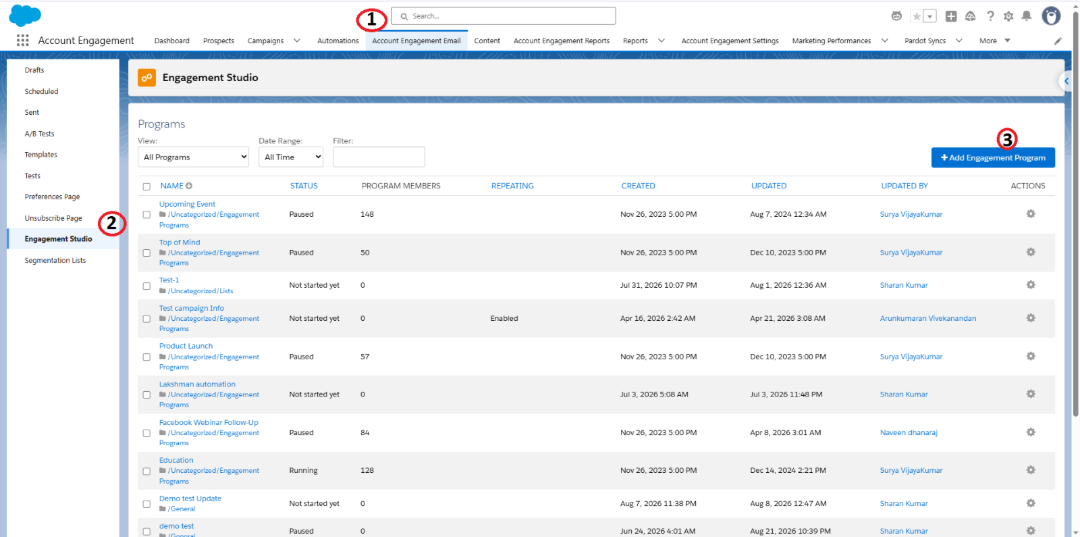
Navigate account engagement and the top navigation bar choose account engagement email.
In the left side of canvas, you could see engagement studio. Click on it.
The right-side canvas you could see +Add Engagement Program button click on the button
Step 2:
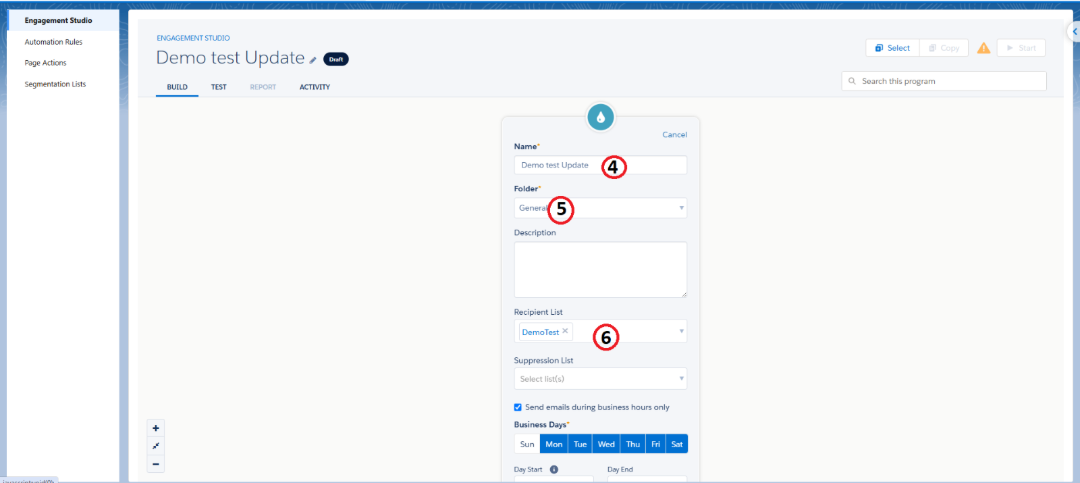
First, choose the recipient and suppression list. Then, give the account engagement program a name. You can set business days and hours for how long the operation can run and if prospects should enter once or multiple times based on criteria, select the checkbox.
Step 3:
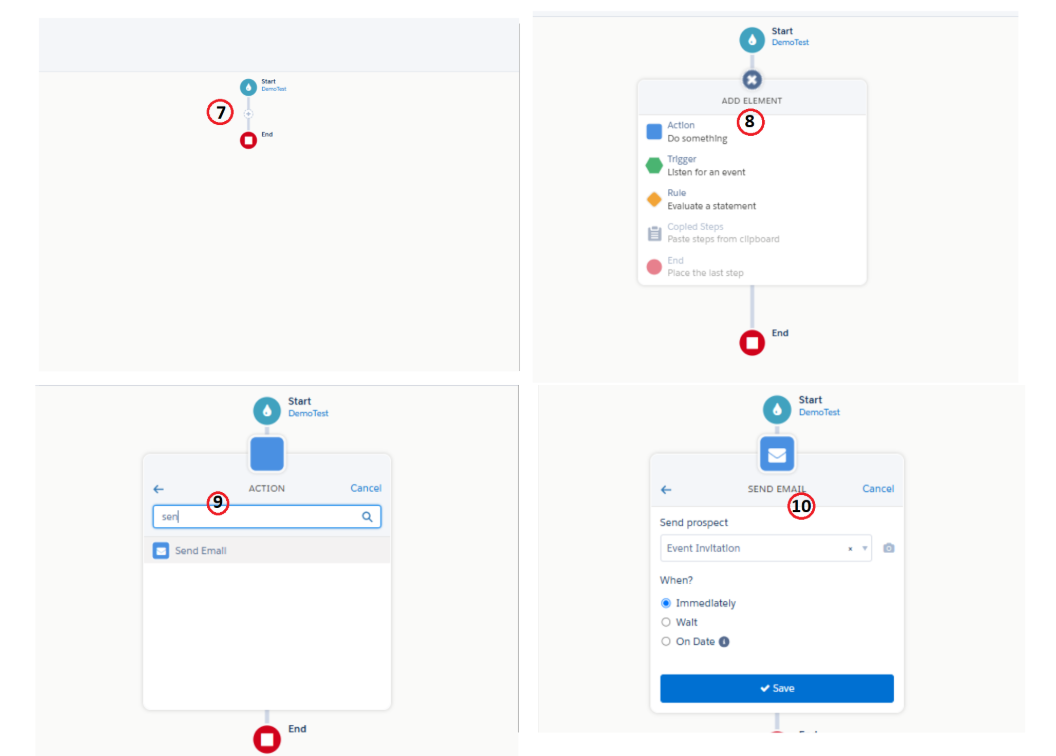
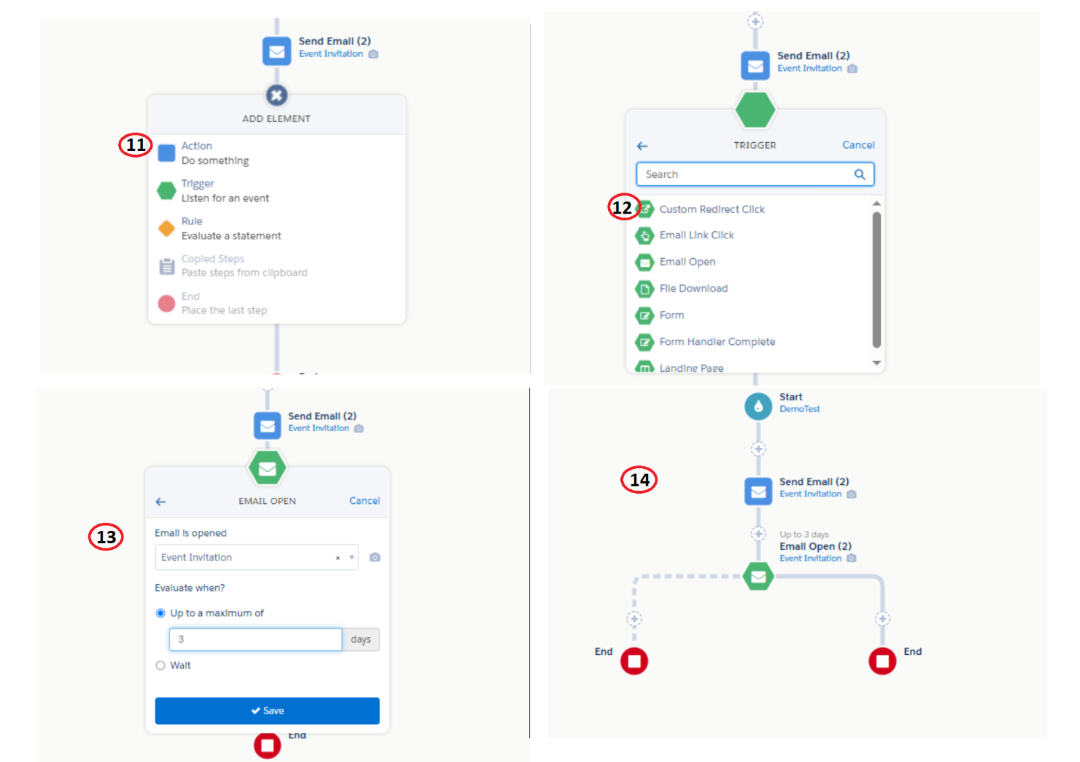
Click a '+' icon to select an action node to search for a send email activity, choose which email template you want to send in send prospect option.
Step 4:
Click the '+' icon to pick up a trigger option, then choose Email activity and enter the number of days until you want to track this process.
Step 5:
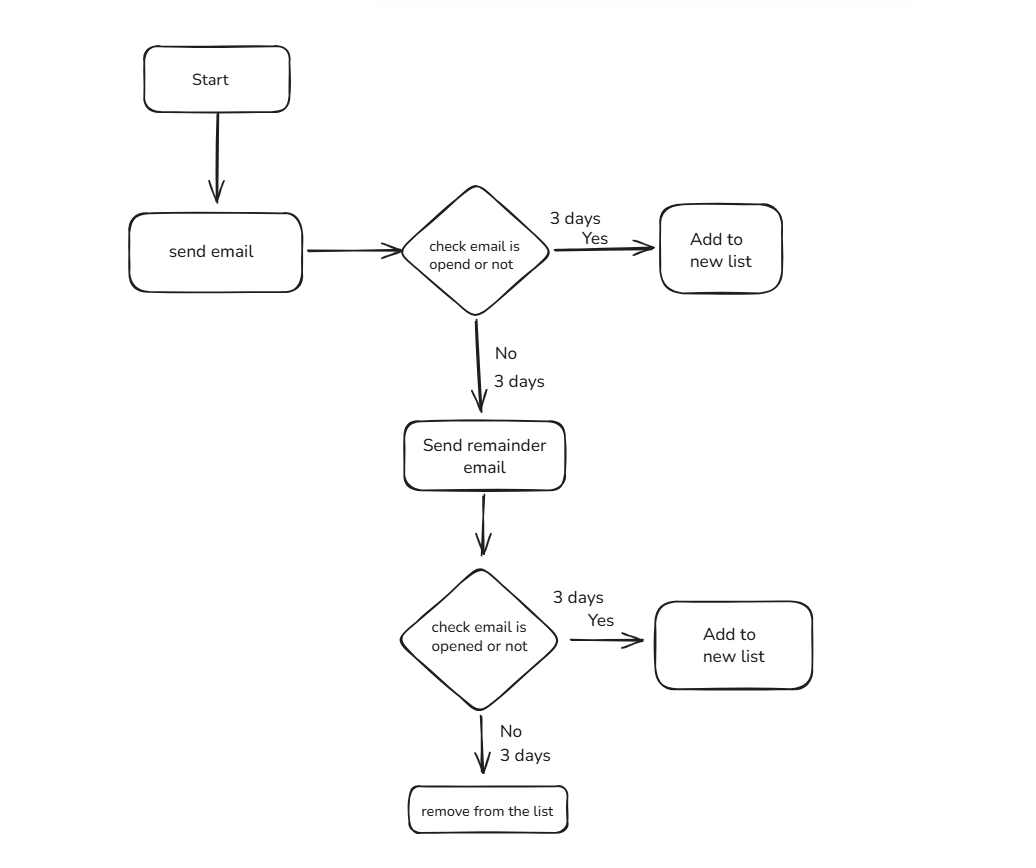
Prospects who open the email should be added to a list. To add them, click the + icon on the left side. Then choose "Add to list" and choose the list where you want to store those Prospects who have engaged (based on the email opens) for this scenario.
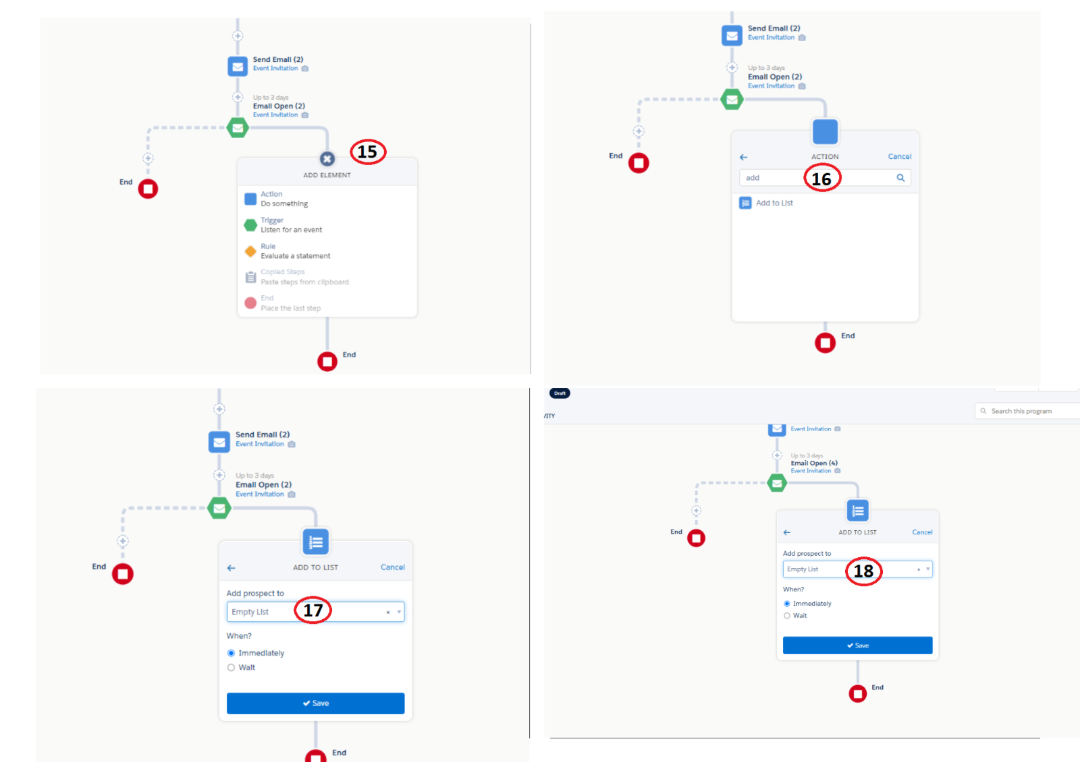
For this scenario - Now, we want to send remainder email for those are not opened emails
Step 6:
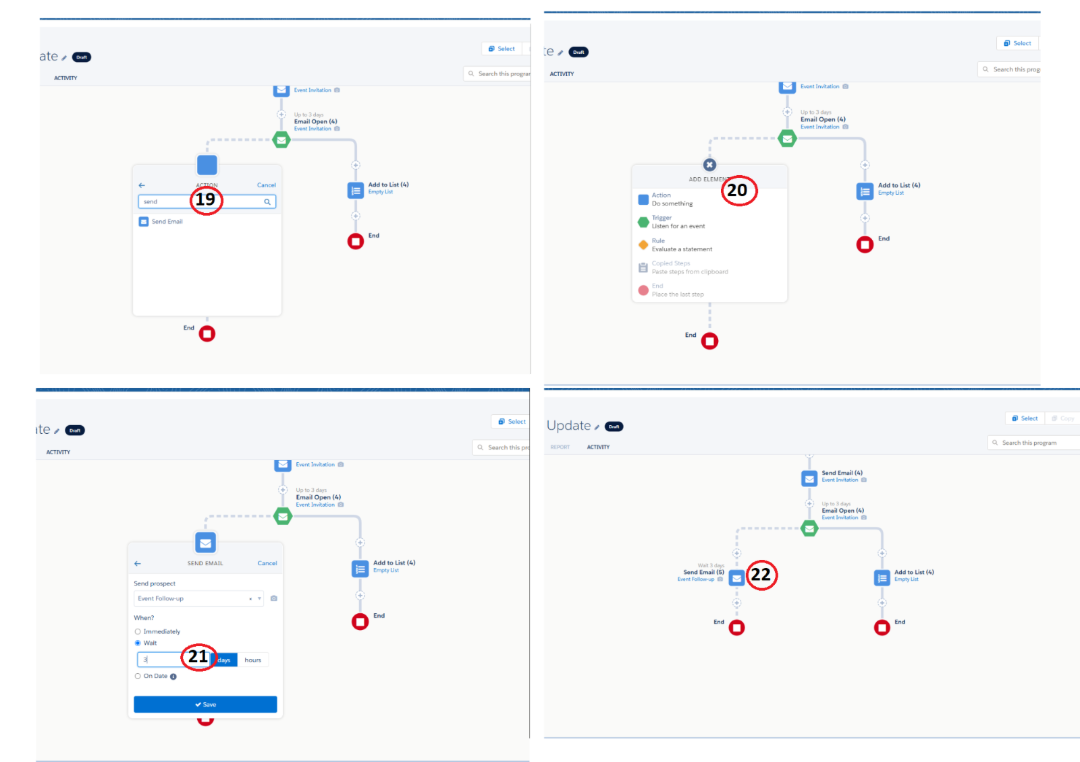
Select the + symbol to choose action. Then select add to list option to choose your list which list wants to add them.
Step 7:
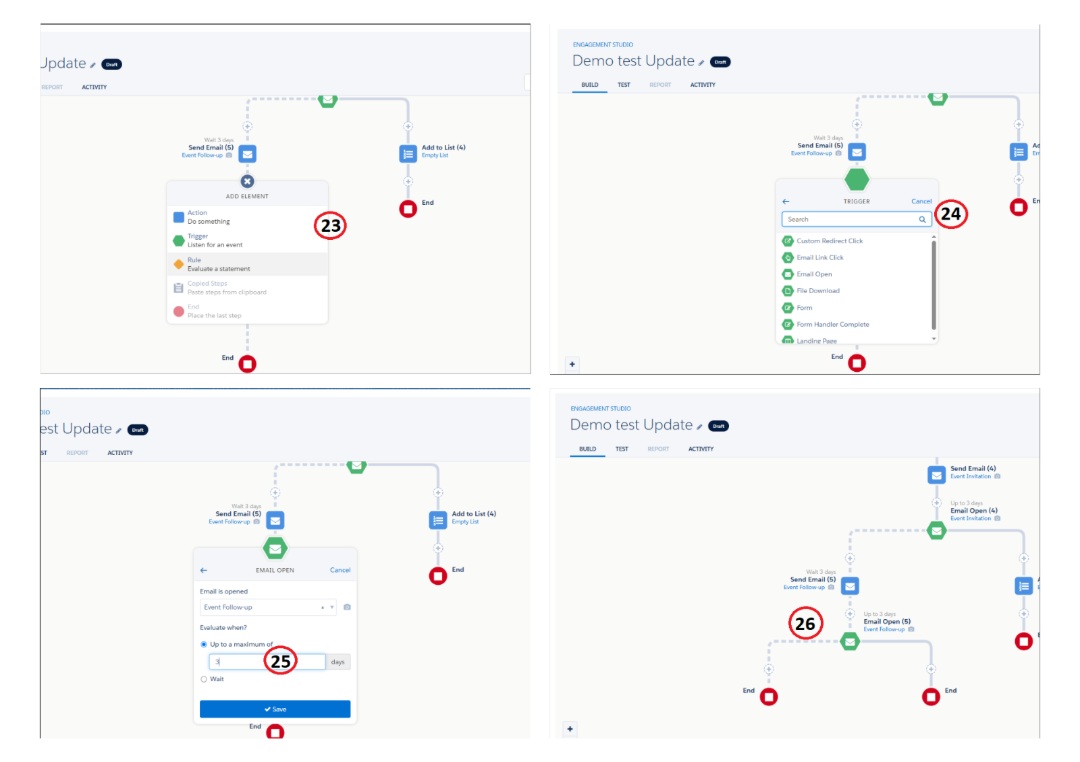
Here, we want to segregate the prospects who all are opened the remainder email, select a + icon. Choose the trigger option to select an email open activity to give 3 days to wait period for our scenario and save the step.
Step 8:
Select the + icon to choose the action. Then choose to add list activity from action, then choose your list to save the step. Here in our scenario, we have set a list to store the prospects who opened the email.
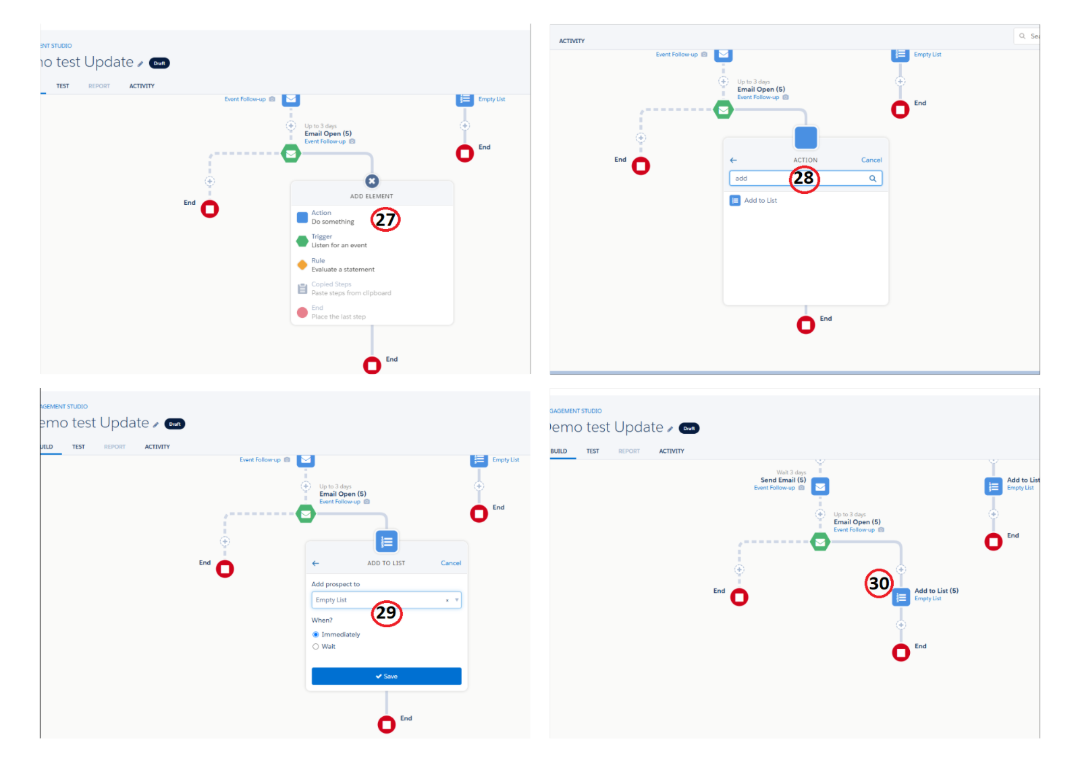
Step 9:
In our scenario, next we need to store the prospect who haven't opened the email. For that we need select the + icon to choose the action. Then choose "remove from list" activity from action. Choose the which list to remove prospects who were not opened the email.
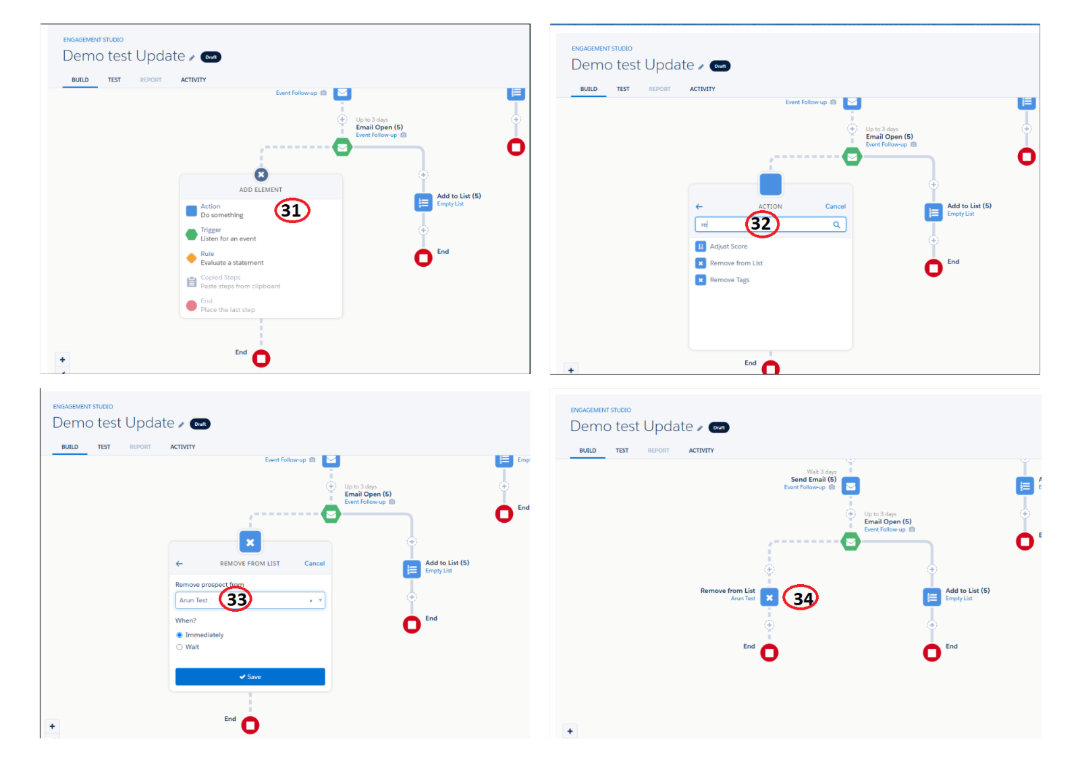
Step 10:
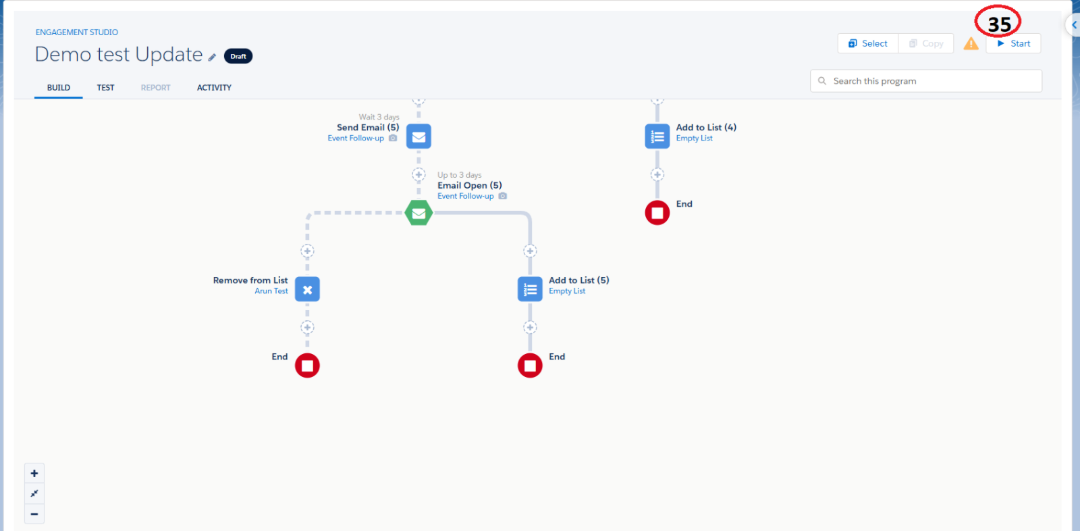
Once completed the engagement studio, we want to test that flow, so the top right side of canvas select the test. Click a begin test to check the flow if it works correctly.
After that, on the top-right side of the canvas, configure when the workflow should start and determine when it should end.
Best Practice:
When using Engagement Studio it's best to keep the flow simple and focused on the audience.
Use emails, set clear wait periods, between messages and choose triggers that make sense for your goals.
Always test the flow before turning it.. Remember to use suppression lists to prevent sending unwanted or duplicate emails to people who don't want to receive them.
Conclusion:
Engagement Studio in Account Engagement helps marketers automate personalized prospect journeys based on their interactions. By using targeted emails, triggers, actions, and wait periods, businesses can nurture prospects effectively, improve engagement, and achieve better marketing results.
