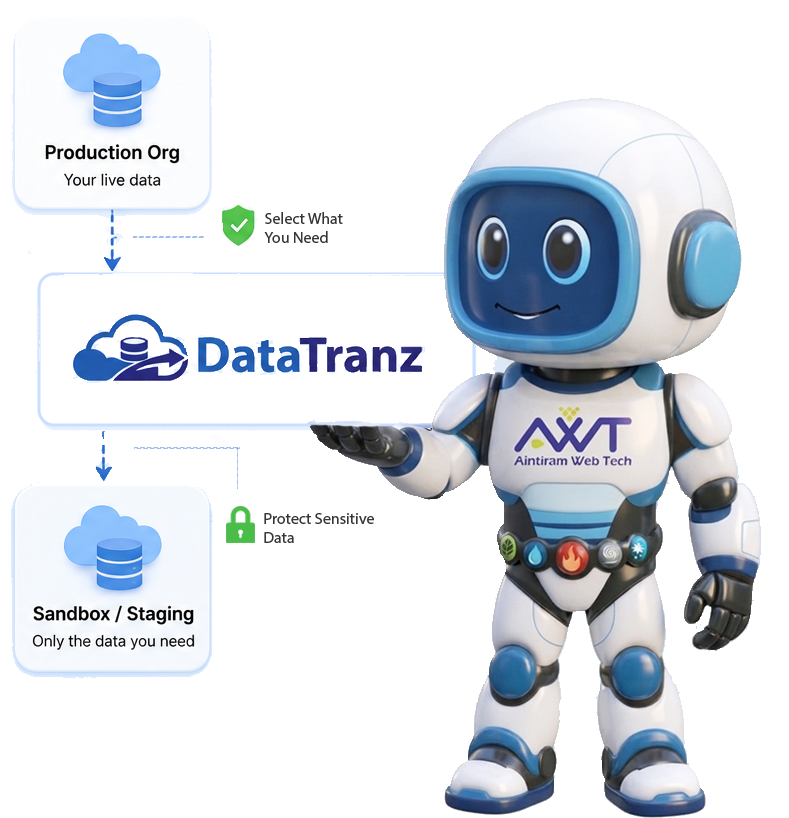
Your sandbox. Seeded with the data you actually need.

DataTranz helps you selectively migrate Salesforce data from Production to Sandbox or staging environments — keeping related records connected and sensitive data protected, without copying your entire org.

The problem

Sandbox data shouldn't be
an all-or-nothing choice.

Preparing a Sandbox with meaningful Salesforce data can be harder than it sounds. A full data copy may bring far more information than your team needs. Manual exports can leave behind broken relationships. And production data often contains sensitive information that shouldn't be exposed in development or testing environments.

01
Full Copies Are Often Unnecessary

You may only need a handful of realistic records for a specific test case, development task, or troubleshooting scenario. Moving an entire dataset adds unnecessary time, complexity, and storage.

02
Salesforce Data Is Connected

Accounts, Contacts, Cases, Opportunities, and other objects depend on relationships. Moving individual records without maintaining those relationships can leave your Sandbox with incomplete or unusable data.

03
Production Data Can Be Sensitive

Realistic test data is useful, but sensitive fields such as phone numbers and other personal information may need to be protected before they reach a non-production environment.

04
Failed Records Shouldn't Mean Starting Over

When a migration partially fails, reloading records that already succeeded wastes time. Teams need visibility into what worked, what failed, and a way to retry only the rest.

How it works

Select the data. Configure the job. Let DataTranz handle the migration.

When a migration partially fails, reloading records that already succeeded wastes time. Teams need visibility into what worked, what failed, and a practical way to retry only the unsuccessful records.

01
Connect

Link the source and target Salesforce orgs.

02
Select

Choose the objects and records you need.

03
Filter

Narrow the set by criteria or file-based collection.

04
Mask

Apply pseudonymization, null, or star masking.

05
Migrate

Related records move together, relationships intact.

06
Monitor

Track progress, then review or reprocess failures.

Features

Everything You Need for
Controlled Salesforce Data Seeding.

Realistic data for developers, plus the controls administrators need to govern what moves, how it's protected, and what happens when something fails.

Selective Salesforce Data Migration

Move the Salesforce records you actually need instead of copying your entire Production dataset. Create migration jobs around specific development, testing, staging, or troubleshooting requirements and control which objects and records are included.

Relationship-Aware Data Migration

Salesforce data rarely exists on its own. DataTranz helps configure related objects and lookup relationships so parent and child records can be migrated together. External IDs are used to support relationship mapping in the target org. This helps your Sandbox data remain connected and meaningful after migration.

Flexible Data Filtering

Control the scope of each migration using defined criteria or file-based collections. Filter records based on your specific testing or development requirements and create focused datasets instead of moving unnecessary records. Additional combined filtering and multi-collection capabilities are planned for future releases.

Built-In Data Masking

Protect sensitive production-derived data while keeping test datasets useful, with pseudonymization, null values, or star masking applied as part of the workflow.

Real-Time Job Monitoring

See migration status by object as the job runs, so you don't have to rely on guesswork to understand what happened during a migration.

Downloadable CSV Reports

Get downloadable success and failure reports, making it easier to review results, troubleshoot issues, and share migration details with your team.

Reprocess Failed Records

A failed record doesn't mean rerunning the entire migration — reprocess only what failed, without reloading records that already succeeded.

Efficient Data Processing

Data is processed in chunks rather than loaded all at once, helping manage memory usage and supporting more stable processing on available hardware.

#

Lookup & External ID Handling

Lookup relationships are surfaced for configuration, and external IDs support parent-child relationship mapping during migration.

Admin control

One migration job. Clear control from start to finish

Source and target orgs, record selection, filtering, masking, memory allocation, monitoring, reporting, and reprocessing — all in one configuration.

DataTranz Admin — Configuration
Control What you set Status
Source & Target Orgs Connect the Salesforce orgs involved in the migration Connected
Object & Record Selection Choose objects and the records you want to migrate Configured
Filtering Define criteria or use file-based collections Configured
Data Masking Pseudonymize, null, or star-mask sensitive fields Configured
Memory Allocation Configure processing memory based on available resources Configured
Job Monitoring Track migration progress by object Active
Reports Download success and failure results as CSV Available
Reprocessing Retry failed records without reloading successful ones Available
Why teams choose DataTranz

Realistic data. Greater control. Less manual work.

DataTranz gives you a controlled workflow for moving Salesforce data between orgs — selective, relationship-aware, and protected by masking, so what lands in the sandbox is safe to work with and true to production.

01 Migrate Only What You Need

Create focused datasets for specific testing, development, staging, and troubleshooting scenarios.

02 Keep Related Data Connected

Move parent and child records together while supporting lookup and external ID relationships.

03 Protect Sensitive Fields

Apply masking during the migration process instead of manually modifying production-derived data afterward.

04 Know What Happened

Track job progress and review downloadable success and failure reports.

05 Recover Without Starting Again

Reprocess failed records instead of unnecessarily repeating successful migrations.

Use cases

Built for the teams that work
with Salesforce data every day.

Salesforce Administrators

  • Sandbox and staging setup
  • Development support
  • Testing scenarios
  • Compliance-conscious data prep

QA & Testing Teams

  • Functional testing
  • Regression testing
  • Repeatable test scenarios
  • Faster troubleshooting of failed migrations

Salesforce Developers

  • Development environments
  • Org-to-org data migration
  • Parent-child data modeling
  • Lookup and external ID relationships

DevOps Teams

  • Environment provisioning
  • Repeatable data workflows

Planned: scheduled data sync, centralized job management, and enhanced reporting.

Getting started

Seed your first sandbox in a few simple steps

Connect your orgs, select and configure your data, run the migration, then review the results.

01
Connect Your Orgs

Salesforce source & target

02
Select Your Data

Criteria or file-based collections

03
Configure Handling

Relationships, filtering & masking

04
Run Your Migration

Start the job, monitor progress

05
Review the Results

Download the report, reprocess failures

FAQ

Questions admins
usually ask

Still evaluating? Book a short walkthrough and see DataTranz with your own org's data.

Book a 20-Minute Demo
DataTranz is designed for selective Salesforce data migration. You can choose the records you need using criteria or file-based collections, and configure related objects such as Contacts, Cases, and Opportunities.
No. DataTranz focuses on selective data migration. You define the objects and records required for your target environment rather than automatically copying the entire org.
Yes. DataTranz supports parent-child and lookup relationships. External IDs are used to help maintain relationships between related records in the target org.
DataTranz provides masking options including pseudonymization, null values, and star masking. These options can be configured for sensitive fields during migration.
Yes. DataTranz supports criteria-based and file-based filtering, so you can narrow the dataset according to your migration requirements.
DataTranz provides success and failure information for the migration job. Failed records can be reprocessed without unnecessarily reloading records that already migrated successfully.
Yes. Migration results can be downloaded as CSV reports for review and troubleshooting.
In the current release, job configurations and run data are stored locally on your machine. Cloud-based storage, centralized dashboards, and remote job control are planned for future releases.
DataTranz processes records in chunks to manage memory usage. The current recommendation is to allocate roughly half of the available RAM to a migration job — for example, around 8 GB on a system with 16 GB RAM.
The current product plan includes a 30-day free trial with no limits for evaluation. Free-edition limits and licensing models are still being finalized as part of the rollout.
DataTranz

Stop guessing what your sandbox needs.

Selectively migrate Salesforce records, keep relationships intact, protect sensitive fields, and monitor every job from one workflow.

free-consultation