
 Book Free Consultation

Salesforce Summer '26: Key Admin Features You Shouldn’t Miss
Explore the key Salesforce Summer ’26 admin features
By Anandhakumar Thangasamy
Senior Salesforce Developer
Salesforce Summer '26: Key Admin Features You Shouldn’t Miss
If you are a Salesforce professional, you may already know that Salesforce delivers three releases per year that are Winter, Spring and Summer. As part of each release, Salesforce introduces new features and enhancements for admins, developers, consultants and end users. We are now in Summer '26. Before getting into know about, there are few key dates and information we should know.
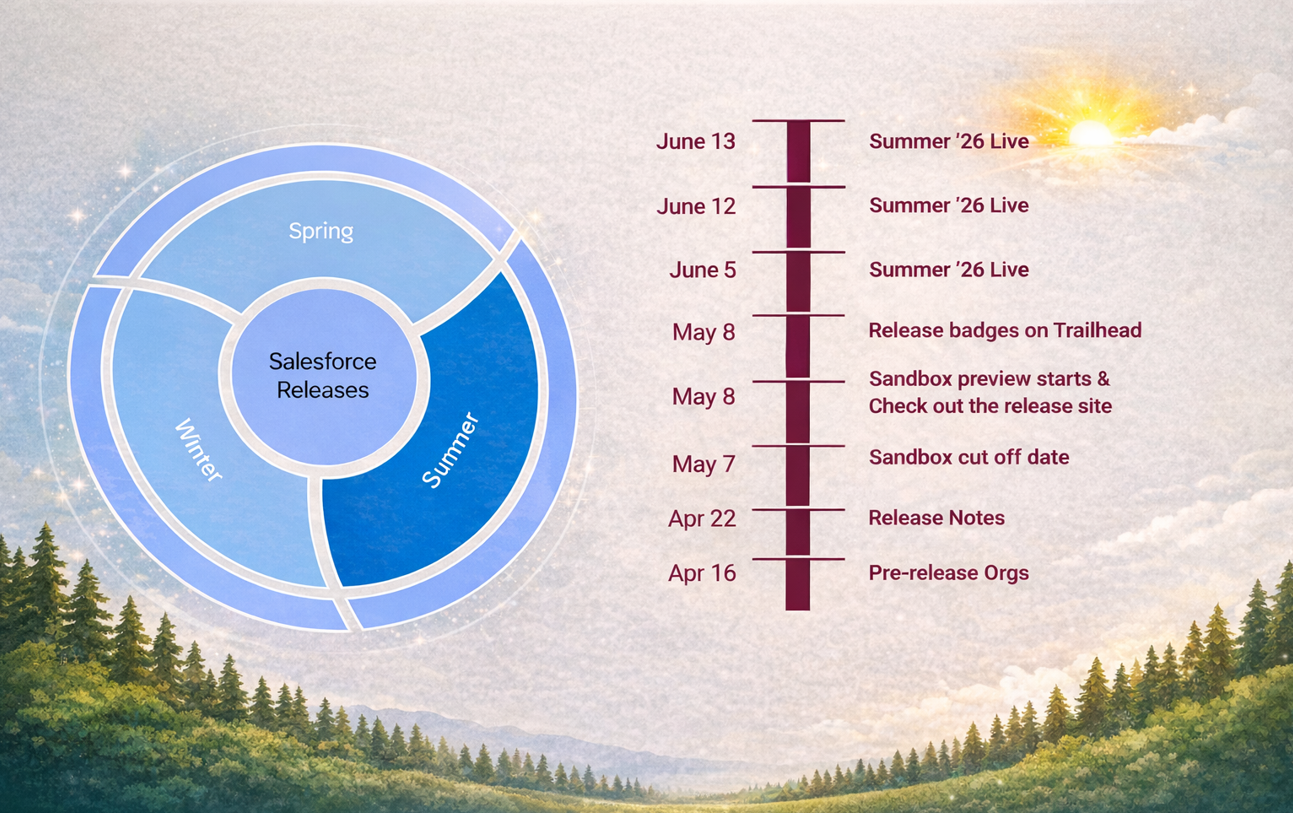
Pre-release Orgs are the trail orgs to get a hands-on experience and take a sneak peek of the features in the release. For the Summer ’26 release, pre-release orgs will be available starting April 16, 2026. You can create one using the link https://www.salesforce.com/form/signup/scheduler-prerelease-trial/.
The Salesforce Release Notes are one of the most anticipated resources for every release. Release notes contains all the details of the features and enhancements in the release. For Summer ’26, the release notes will be available on April 22, 2026.
Sandbox Cutoff Date is the date when the sandboxes must be refreshed or created to be on a preview instance and get the features as part of the release. If the sandboxes are refreshed after this date, will be stay on the previous release. For Summer '26, the sandbox cutoff sate will be May 7, 2026.
Starting May 8, 2026 the Summer '26 release features will be available in the preview-enabled sandboxes so that the admins can preview, enable and test the features from the sandboxes safely before production rollout.
The Summer ’26 Production Rollout will be rolled out in phases depending on your Salesforce instance. The rollout dates are, June 5, June 12 and June 13, 2026.
Admin Boosts in Summer '26 Release
As we all know, Salesforce continues its strong push toward the Flow as the go to automation tool. As usual, there are mentionable updates related to Flows as part of Summer '26 as below. Alongwith this, below are the notable admin features as part of the Summer '26 release.
Record Link in Data Table
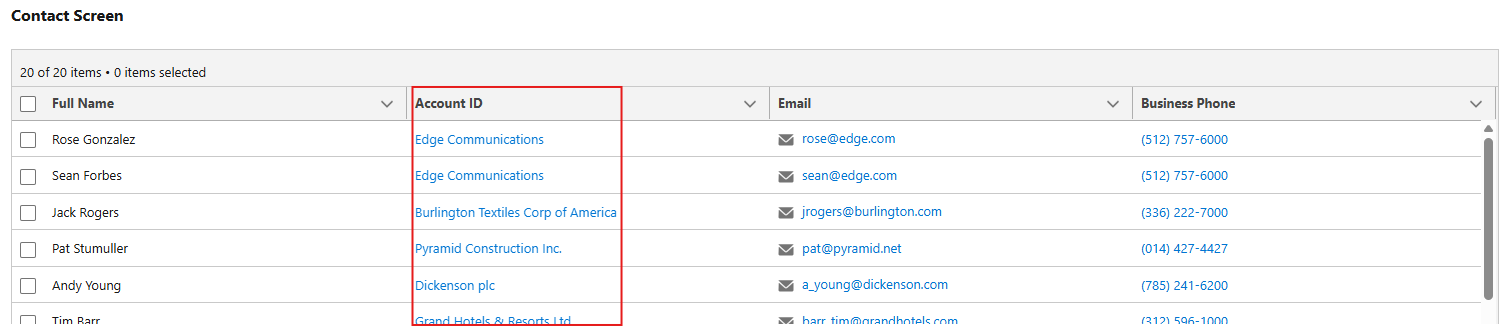
Earlier in the screen flow data table, there was an option to display the lookup record id/name only. But now we can have a clickable record link to the parent records such as Account Name in the Contact as similar as list views. This will be an useful update for the admins and developers to provide the better user experience.

Batch Size in Schedule-Triggered Flow
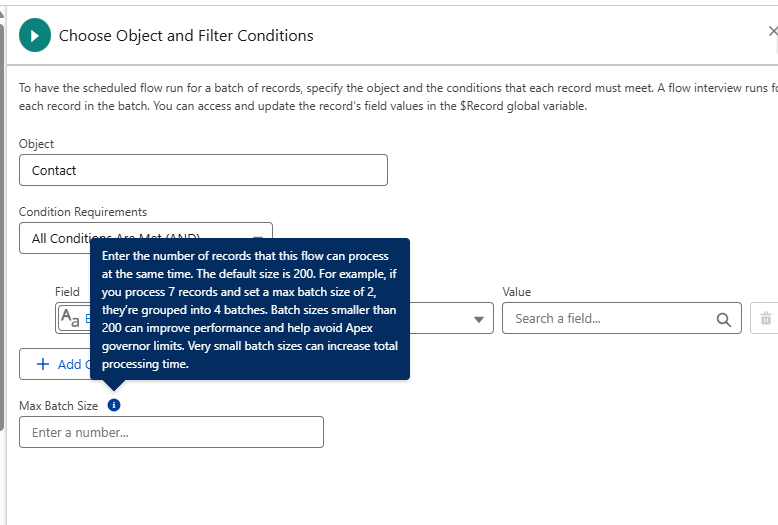
After Summer '26 we can set the batch size for the Scheduled Triggered flow similar to the batch apex. Earlier it is not available in the flows. The default batch size is 200. It is advised to set the batch size less than 200 for better performance.
Radio Button Group Component
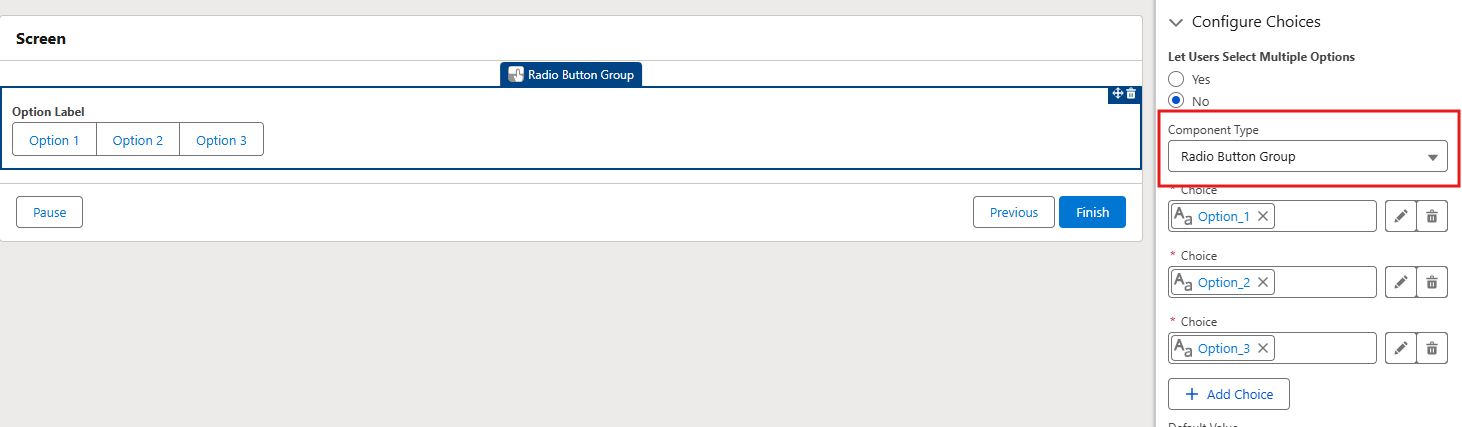
From Summer '26 release, there is a new component type Radio Button Group, this will display the options as a button group as in below image. If an admins selects Let Users Select Multiple Options as Yes, the the Radio Button Group will be converted to Checkbox Group automatically to allow multiple values.

Flow Element Error Rate
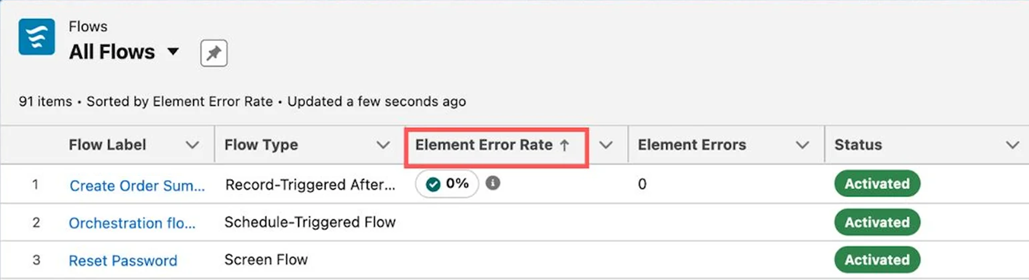
As part of Summer '26, a new field named Element Error Rate is added in the Flows list view in Automation app that shows the percentage of the flow elements failed during the recent run.
Collapsible Fault Path
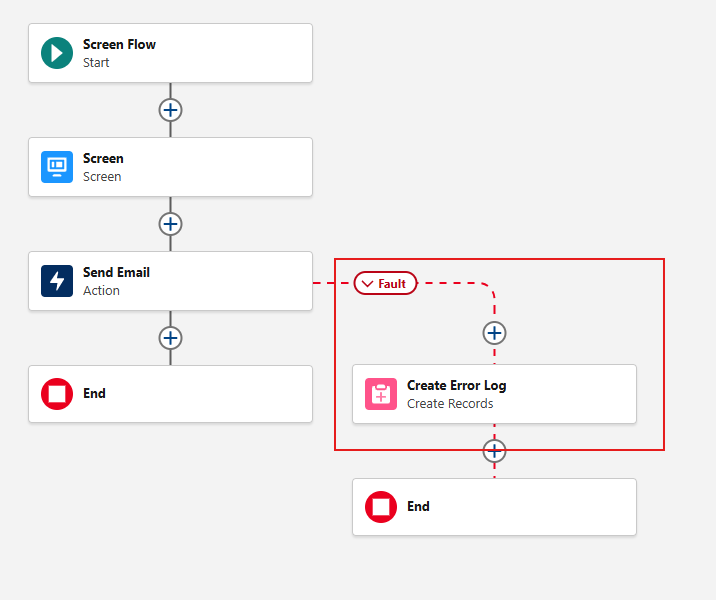
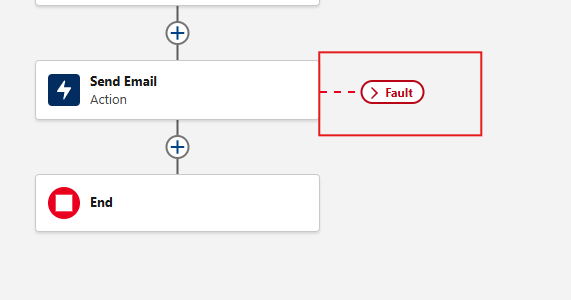
From Summer '26 collapsible option is introduced in the Fault path of the flow. By clicking in the Fault label, the following elements are collapsed and opened when clicking again. This will be very useful for the admins when reviewing or building the flows with large number of elements.
Field Access in Setup
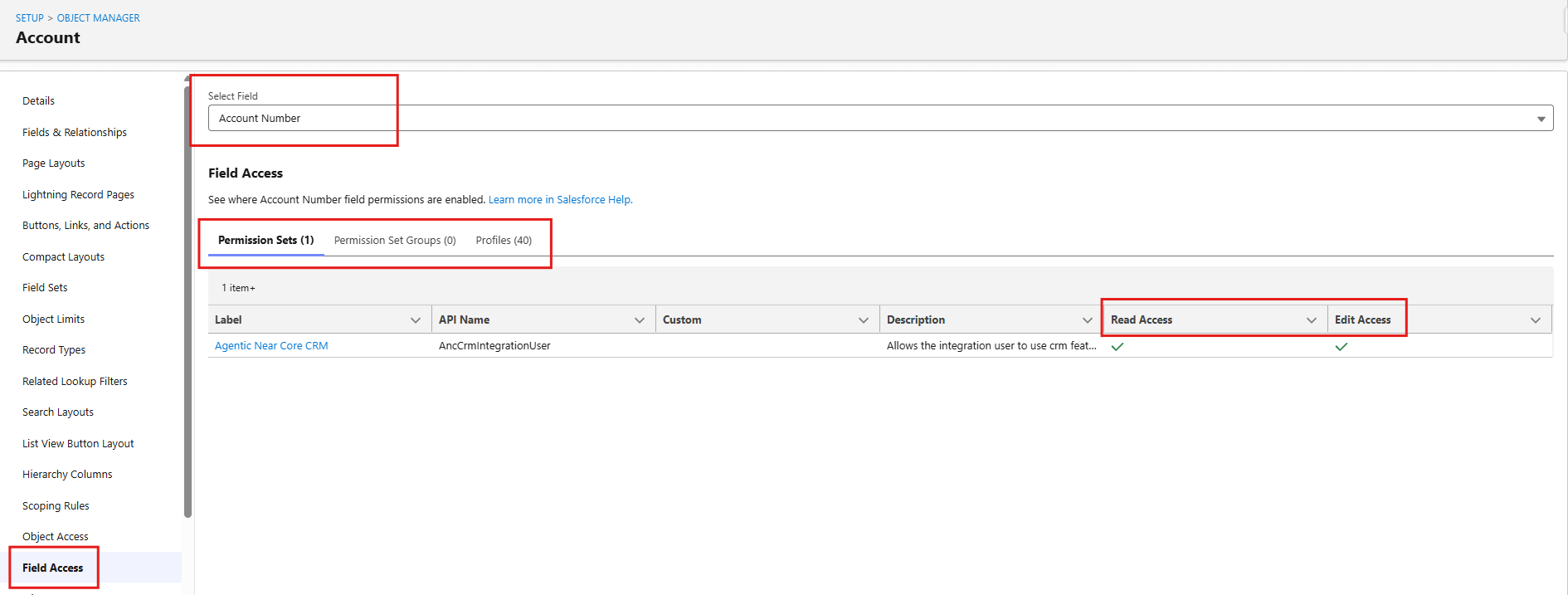
Previously, If we want to check the field access for the particular field means, we need to open that field definition page and use the Field Level Security button. However that lists only profile level access. Now as part of Summer '26 we have a new option called Field Access in the object manager left side panel which lists all the Permission Set level access, Permission Set Group level access and Profile level access i one place. This significantly reduces the effort required to review and analyze field-level permissions, helping admins manage security more efficiently.
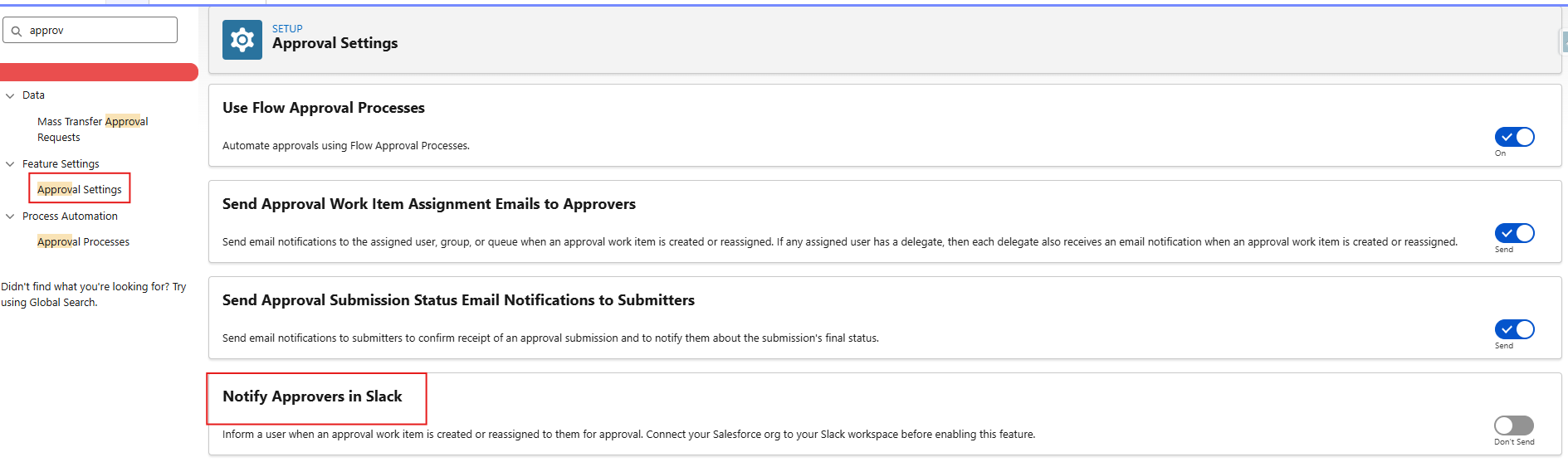
Notify Approvers in Slack
Imagine you're a manager and you will get a notification in the Slack when your reps submitting the records for an approval. Sounds useful, right? Yes it will be available in Summer '26. If your admin enabled this feature, it is possible now.
Conclusion
As usual, the Summer ’26 release brings a strong set of admin-focused enhancements that help improve productivity, simplify configuration, and enhance overall user experience. With these thoughtful updates, Salesforce continues to empower admins to build smarter and work more efficiently, once again proving why every release is worth exploring. Another Release, More Power in the Hands of Admins.
