
 Book Free Consultation

A/B Testing In Salesforce Marketing Cloud
Understand A/B Testing in Salesforce Marketing Cloud with a clear and step-by-step guide with example to improve the campaigns and boost audience engagement.
By Sharan Kumar Mariappan
Assistant Software Developer
A/B Testing In Salesforce Marketing Cloud
Let's take a scenario that happened at Aintiram Web Tech, a tech firm that uses the Salesforce Marketing Cloud as part of Email Marketing. One of the leads named Aintiran in the company assigned a new task to his teammate to send an optimized email. The optimization is needed to identify what subject line / versions / content the people admire and are attracted to. The emails, which grasp a lot of audience attention. Aintiran knows doing a marketer role is not a guessing job anymore, due to inbuilt automations available in the Marketing Cloud. He heard about a new term called A/B Testing in Marketing Cloud. He was curious to know how to do that. He explored resources online and also, gathered some additional information from the knowledge of connecting with his teammates. Undergoing lots of training in the Marketing Cloud, he thought it was one of the game-changers to send marketing emails.
Come let's walk along with Aintiran and understand how he settled up an A/B Test at SFMC, step by step and explore some simple examples. Let's get started.
What is A/B Testing in Salesforce Marketing Cloud?
A/B Testing in marketing emails is also known as Split Test / Version Test. It is a method of comparing two versions of emails, Version A and Version B. We can test subject lines, emails, content areas, from names, send date or time and preheaders.
Steps to perform the A/B Test in Salesforce Marketing Cloud
Initially, we are going to create a test data extension and email to include the A/B Testing in an email. Here we are going to use the A/B Testing in the subject line for an easy and simple demonstration. In this case, we are going to send an email to the email address from the data extension.To create a data extension, please go through this blog: Create A Data Extension In Marketing Cloud.
Quick recap for test data extension creation
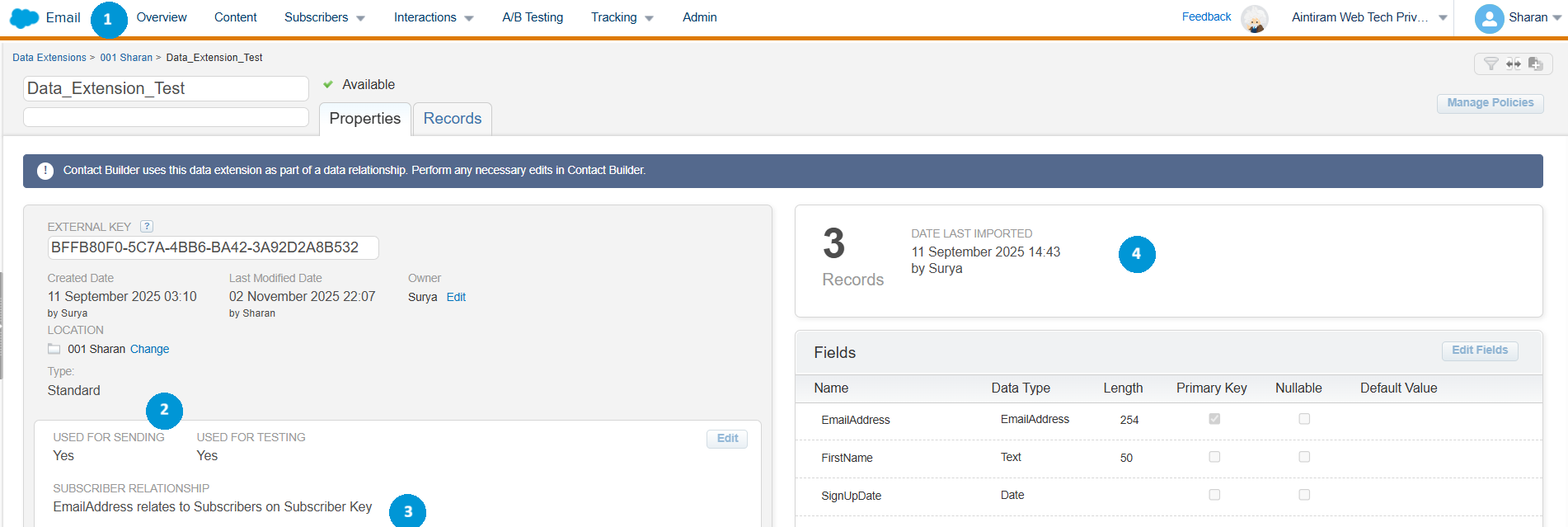
As discussed above, we are going to send an email to the prospects/audience that are available in the data extension (1). For testing and sending purposes, I have set a data extension. I have selected both sending and testing in the usage of Data extension (2). I have configured the subscriber relationship. Email Address relates to the subscribers on the subscriber key (3). Here in the data extension, we can see the primary key set as an Email Address (4). Finally, we could see the records which we have created/imported (5).
If you need adequate knowledge to develop an email in the content builder, please review this blog: Create an Email Template in Salesforce Marketing Cloud
Quick recap for content creation in the content builder
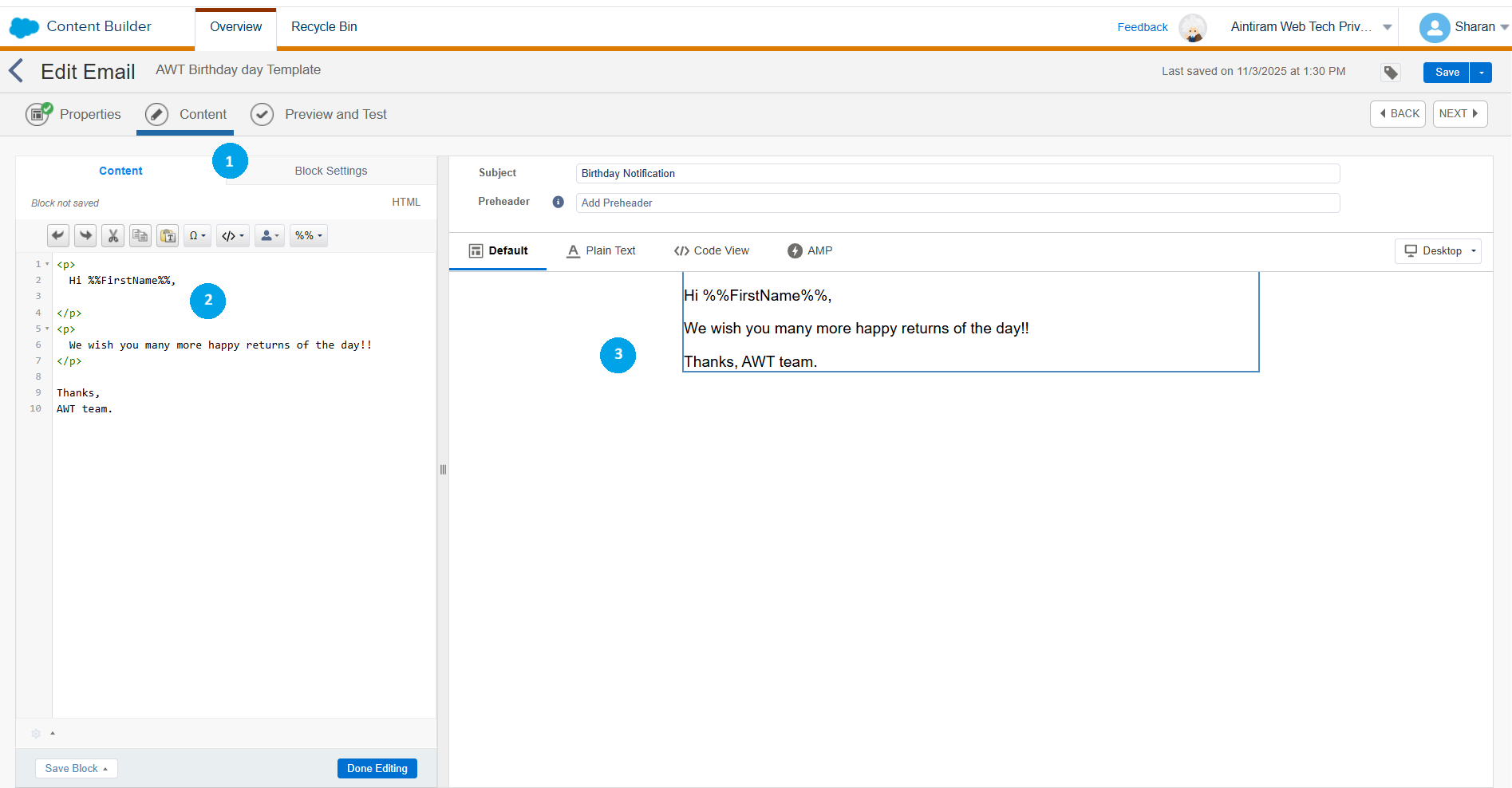
After creating a data extension, just prepare email content in the content builder (1) that will be used for A/B Testing. The message that I have used here is a simple birthday greeting message (2). I have included the first name (3) of the prospect from the data extension using a simple AMPScript tag.
Let's start A/B Testing
Navigate to Email studio in the Marketing Cloud dashboard. Select the email from the email builder, Select the A/B Testing tab in the email. Select the "create A/B Testing" button.

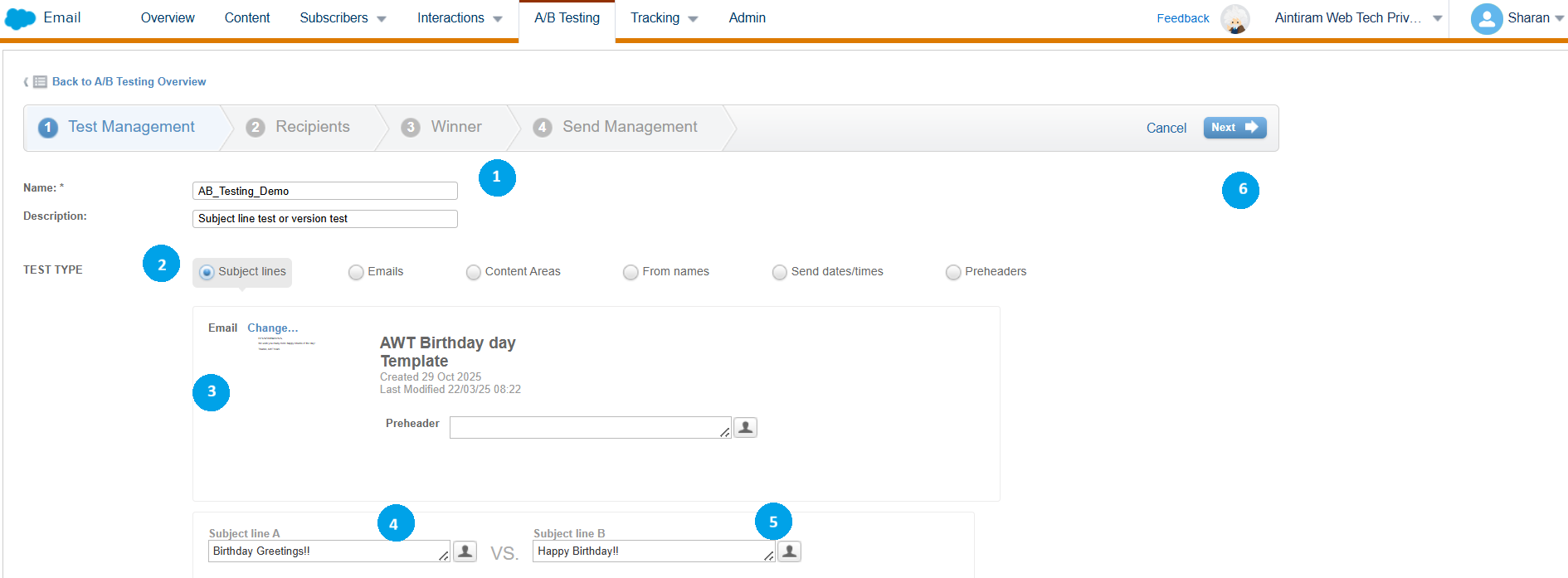
Name the A/B Testing (1). Here, I have named it "AB_Testing_demo". It will help to identify the scene which we are testing. Select type of the A/B Test (2). Whether you are testing subject lines, email copy, sender names, delivery timing, or preheaders. After that, please select the email content that needs to be used for A/B Testing (3). You could replace the subject line (4) or you can leave as such. Choose another subject line (5) that you have in the A/B Test. Select next (6).
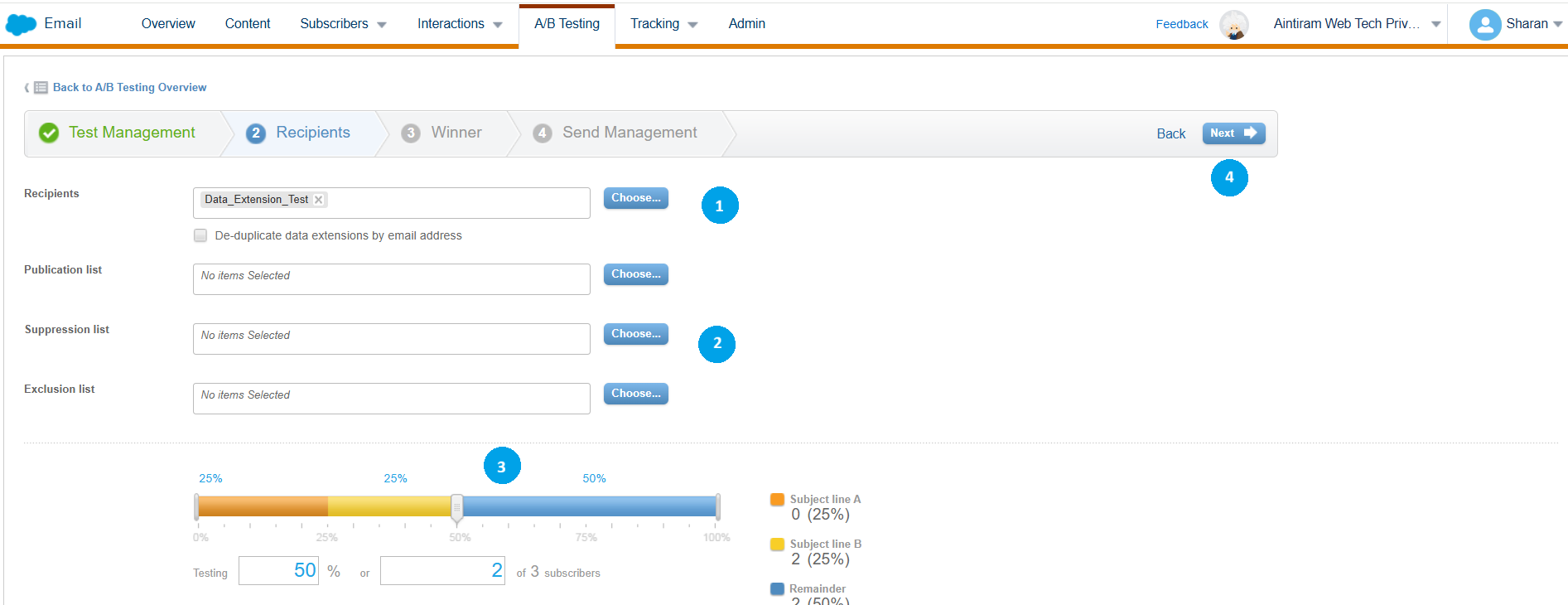
Select the data extension that content prospect details to send (1). If you need any list in the suppression list section or exclusion list section, include it (2). Here for this demonstration I haven't used any suppression or exclusion list. Select the percentage of the audience that needs to be tested before, and winner version sent (3). Then select next (4).
As per the documentation, please see the differences and explanation for the suppression list and exclusion list.
Suppression list: Prevent global sending to certain subscribers. (For creating a suppression list, just navigate to subscriber in the email builder and just start creating a suppression list.)
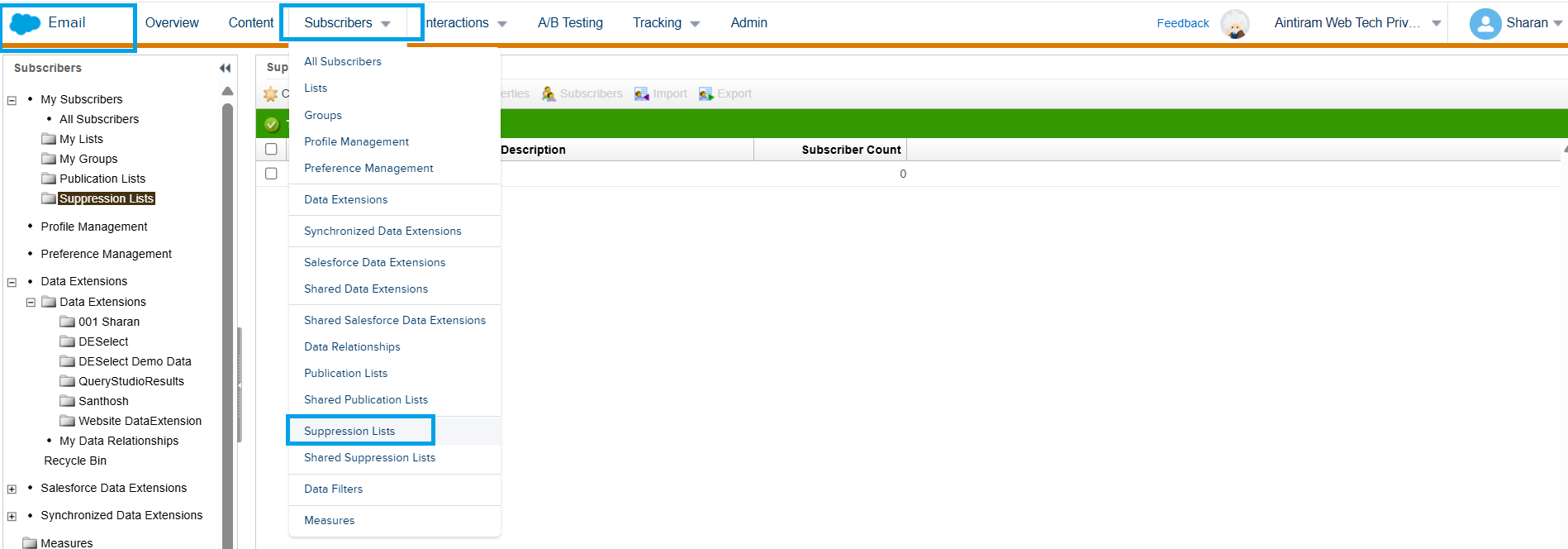
Exclusion List: Exclude subscribers from a specific send (You can use data extension for exclusion).
Let's say, we have 100 subscribers on to send to list. 50 prospects on the suppression list and 25 prospects on the exclusion list. Then 25 subscribers will receive an email. The suppression list is entirely applied to the campaign, but the exclusion list is only for specific sends.
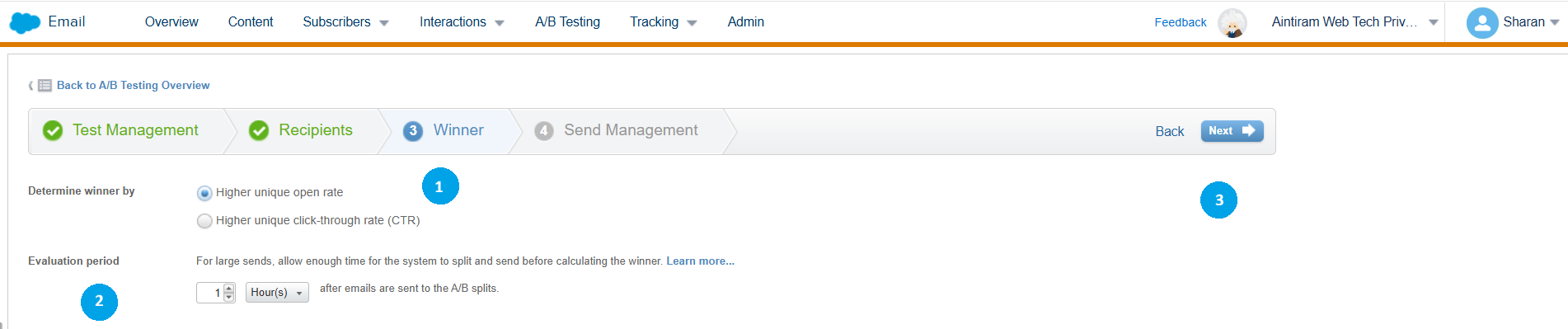
Determine the winner by a higher unique open rate or by higher click-through rate (1). Then, select the time period. A minimum of 1 to 4 hours should be determined (2). We can also set the day. Then, click on next (3).
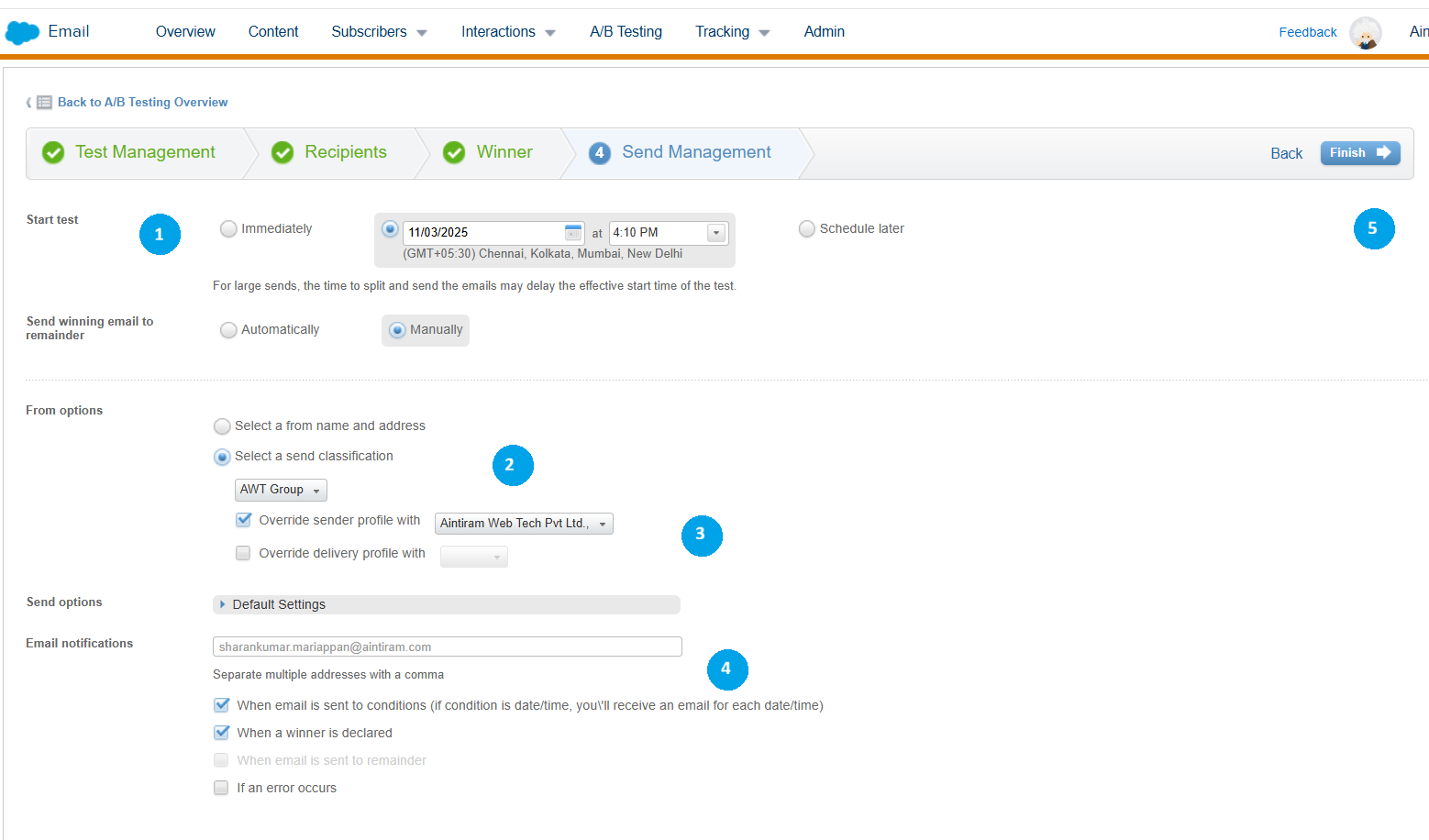
We set the send time to be immediately (1), or it could be scheduled for later. We can set the send winning email to remain either manually or automatically. I have set it here manually. You can select the form name and address (2) or can choose the send classifications (3). Include the email address in the email notification (4) section to receive information on the winner (specify the condition). Then, click on finish (5).
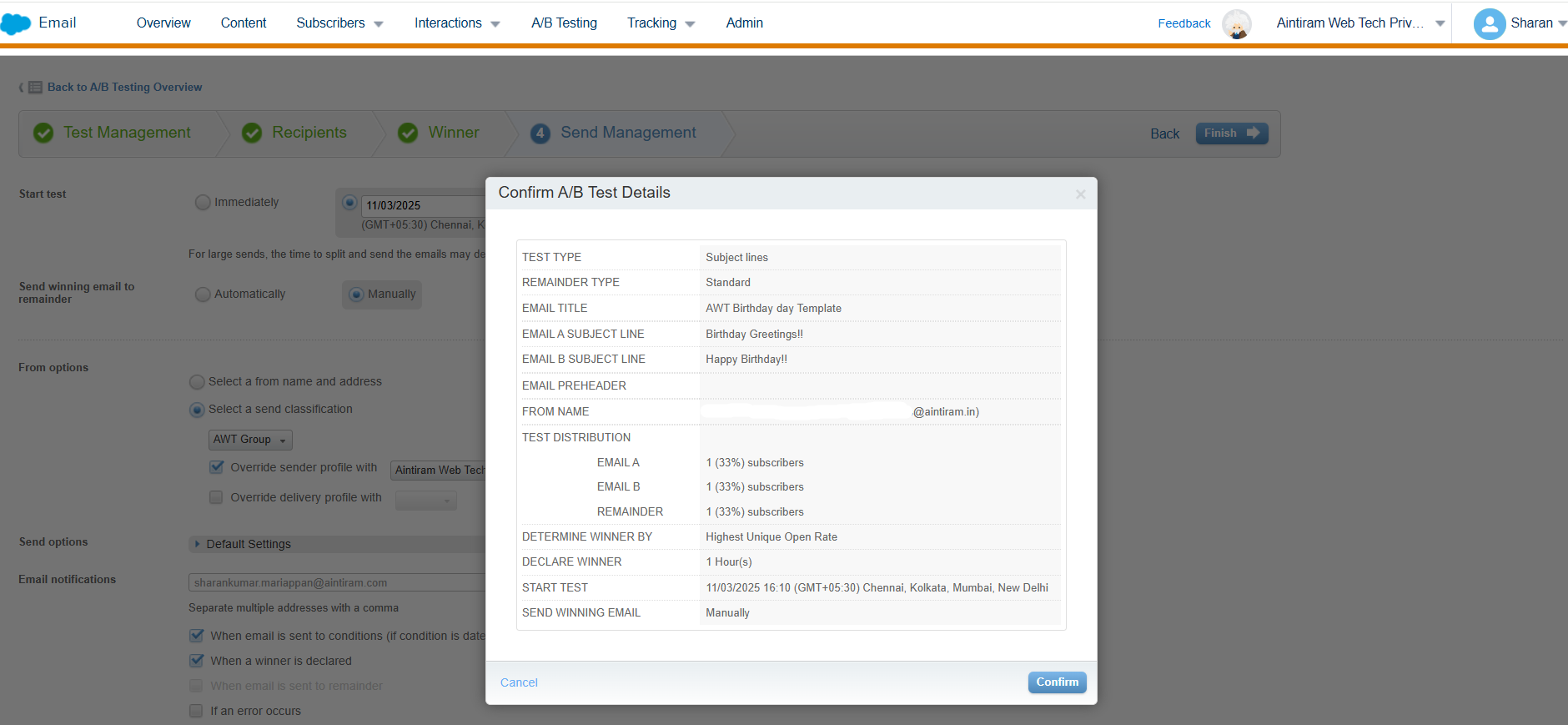
Review the A/B Test details and click on confirm.
In the A/B Test tab, you can see your scheduled A/B Test.
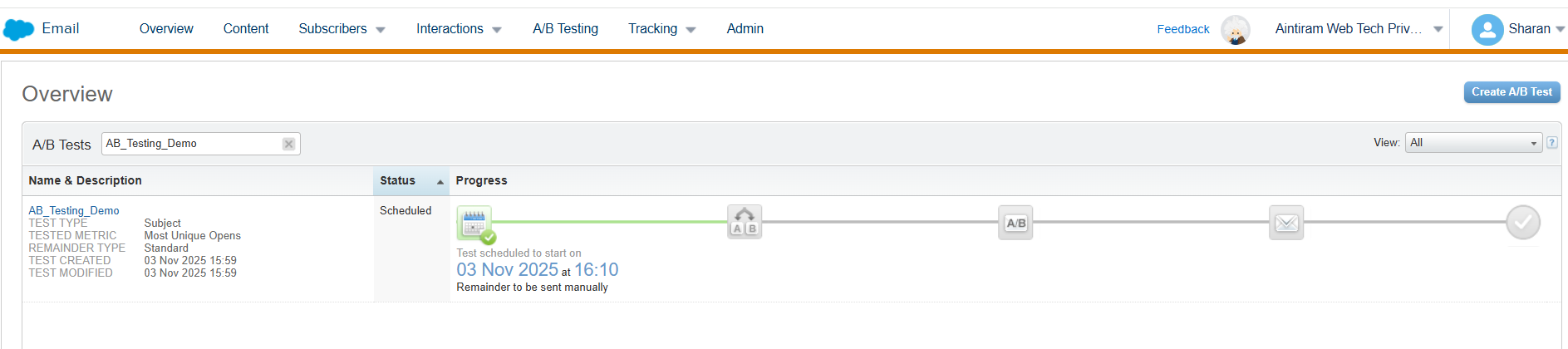
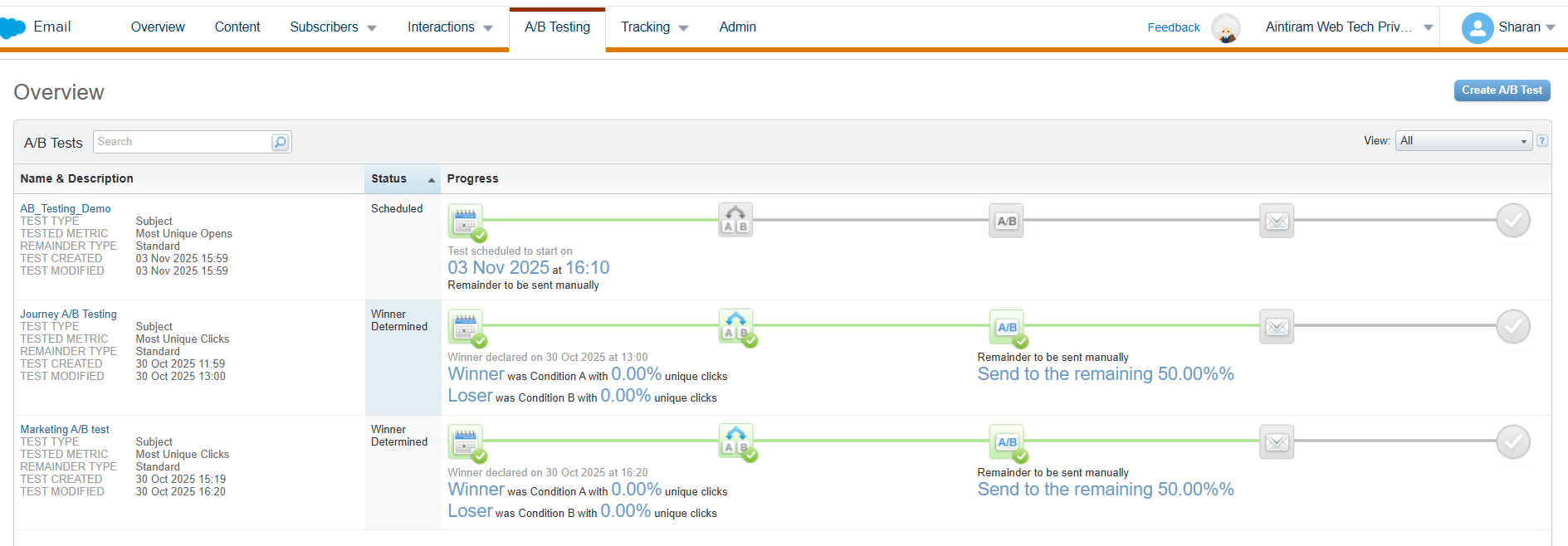
Once after the email opened by the receiver. you will see the live updates in the A/B Testing dashboard.
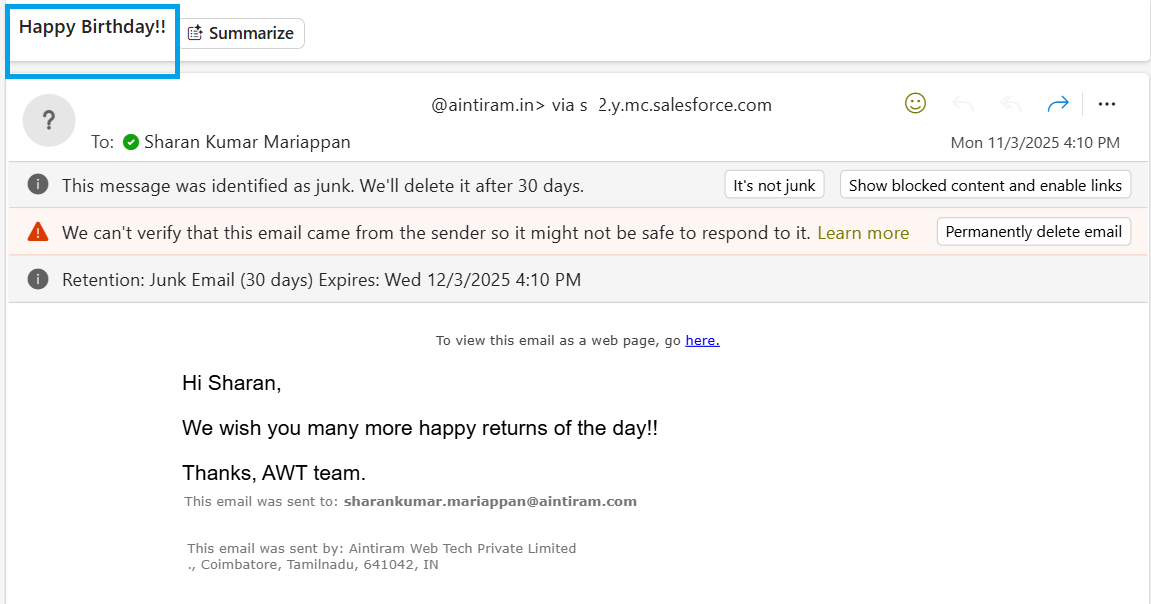
We could see the winner details as shown below in the email.
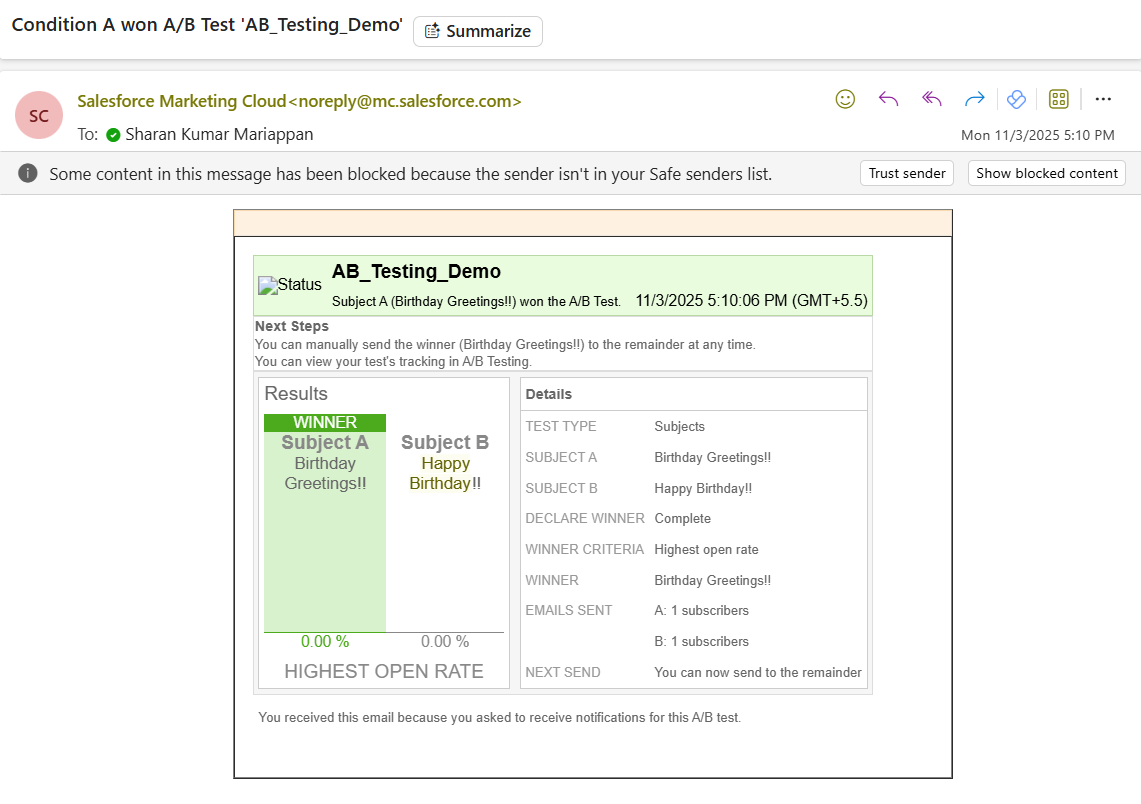
Advantages
Allows for testing new features on a smaller segment of users, reducing the risk of negative outcomes before a full rollout.
Helps businesses allocate resources and budget more effectively by identifying high-performing campaigns.
A/B Testing can directly lead to an increase in revenue and a better return on investment.
Provides specific insights into user behavior and preferences that can inform future efforts.
Conclusion
By this way Aintiran has built A/B Testing in the Marketing Cloud. The engagement has been improved and the team has got appreciation for their efforts. I hope you love the content in this blog. Also, I hope you have gained some adequate knowledge of A/B Testing. In the upcoming blog, we will explore more concepts in Marketing Cloud. Please follow our latest blogs for more content related to the Marketing Cloud.
