
 Book Free Consultation

Key Criteria for choosing Salesforce Automation Tool
Consider the key elements that help optimize growth, including flexibility, ease of use and other factors that help Salesforce automation tools boost effective.
By Gurumoorthy Manickam
Lead Test Engineer
Key Criteria for choosing Salesforce Automation Tool
Despite being one of the most popular CRM solutions, Salesforce is difficult to test due to its complexity and versatility. As businesses grow, manual testing soon becomes ineffective, which is why the correct automation technology is crucial.
However, how can you choose the tool that best suits your Salesforce setup? Below are the key criteria to evaluate before making a choice.
1. Ease of Use & Learning Curve
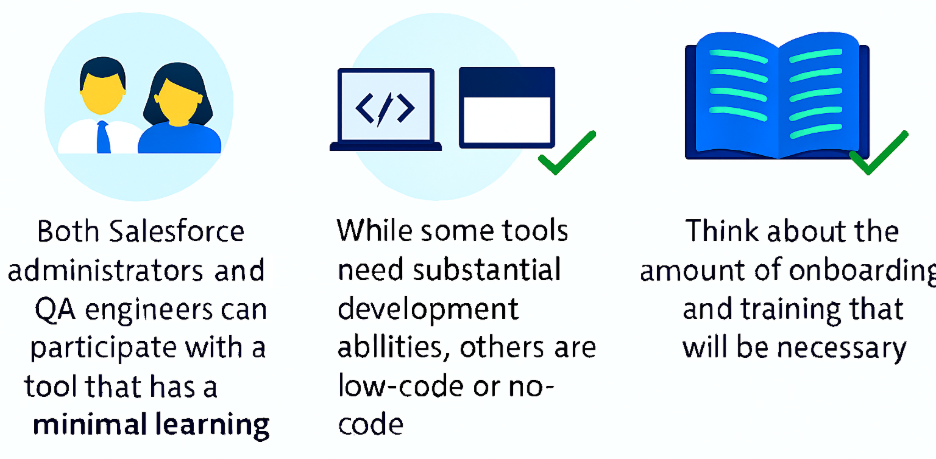
The first question to ask: Can my team adopt this tool quickly?
2. Coding Level (No-Code, AI-Based, Model-Based, or Code-First)
There are various types of automation tools:

Choose a tool that blends team abilities with project needs.
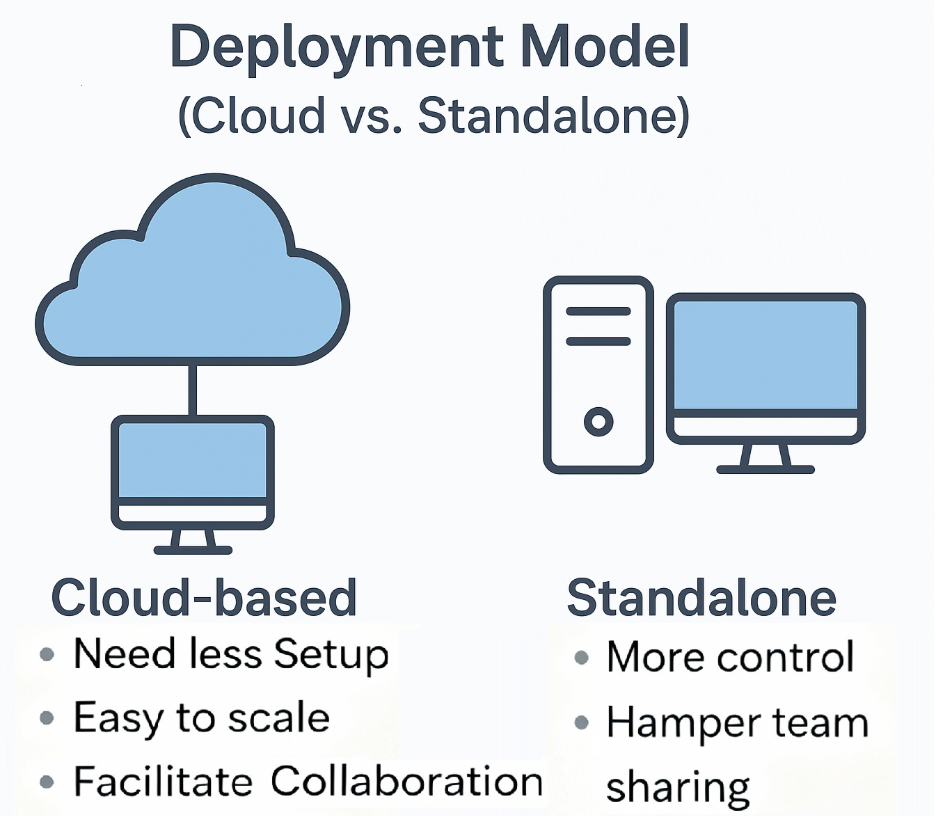
3. Deployment Model (Cloud vs. Standalone)
Think about where your automation tool will live.
4. MFA & SSO Support
Salesforce requires Multi-Factor Authentication (MFA), and enterprises use Single Sign-On (SSO) solutions such as Azure AD or Okta as a rule.
Your tool must be able to:
- Deal with MFA challenges and token-based authentication.
- Support SSO login sequences unproblematically without causing test breaks.
These guarantees meet Salesforce security standards and the need for frequent test maintenance.
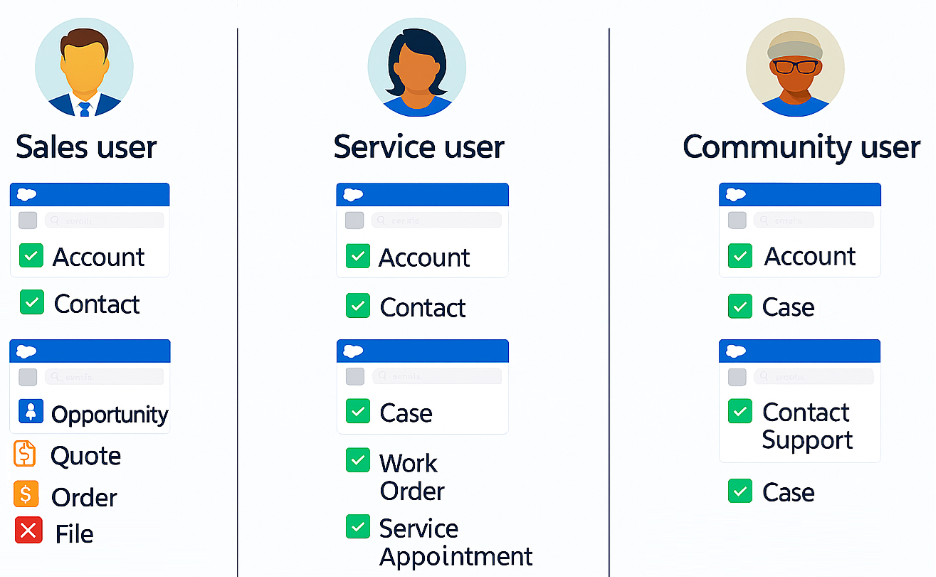
5. Role-Based Testing (Login as Different Users)
Role and permissions are the foundation of Salesforce. Your automation tool must provide easy simulation of logging in as varied profile users like Sales, Service, or Partner users. This ensures that workflows, visibility rules, and role-based access are thoroughly verified.
6. Custom UI & Functionality Testing
Most companies personalize Salesforce using Lightning Web Components, Visualforce pages, or third-party integrations.
The appropriate tool should manage:
- Shadow DOM and dynamic components.
- Responsive UIs on devices.
- Non-standard Salesforce components.
Without this feature, automation scripts will fail repeatedly when testing customizations.
7. Keeping Up with Salesforce Releases
Salesforce releases three significant updates annually. Systems that are unable to confirm to UI or backend updates will have you playing catch-up on fixing broken scripts.
Look for solutions that provide stability and are compatible with minimal rework per release.
8. Integration with Azure & CI/CD Pipelines
For true efficiency, testing must be integrated into your DevOps environment.
The software needs to be able to integrate with tools such as Azure DevOps, GitHub Actions, Jenkins, or Bitbucket. Extra credit if it can handle:
- Parallel runs.
- Scheduled executions.
- Smooth reporting within CI/CD pipelines.
9. Analysis & Reporting Capabilities
Pass/fail output isn't sufficient. You require insightful information
Prioritize tools that provide:
- Visual dashboards and analytics.
- Drill-down reports for root-cause analysis.
- Simple exports to BI tools like Power BI or Tableau.
Transparent reporting enables technical teams and business stakeholders to monitor quality effectively.
10. Pricing & Licensing Model
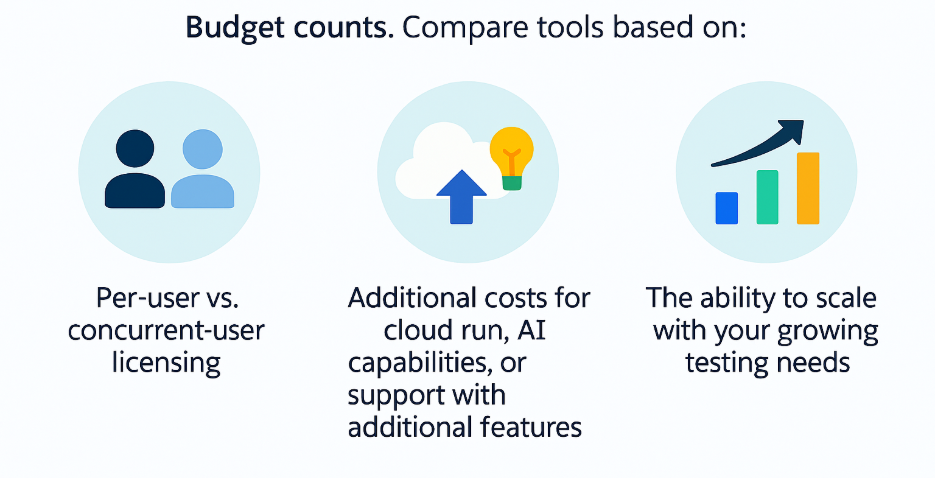
Ensure that the pricing model is aligned with your overall automation strategy long term.
Conclusion
Choosing the right Salesforce automation tool isn’t just about ticking off a feature checklist. It’s about aligning the tool with your team’s skills, Salesforce’s unique challenges, and your organization’s future needs.
By carefully evaluating these criteria, you’ll not only streamline your testing efforts but also ensure that your Salesforce investment continues to deliver value—securely, efficiently, and on a scale.
