
 Book Free Consultation

Automating Salesforce Login with Playwright
Automating Salesforce login with Playwright replaces repetitive manual sign-ins with a fast, secure, and reusable login flow.
By Gurumoorthy Manickam
Lead Test Engineer
Automating Salesforce Login with Playwright: Challenges and Approaches
When we started building UI automation for Salesforce using Playwright, the biggest obstacle was not the test cases themselves, but the login process. Our org relies heavily on Single Sign‑On (SSO) and multi‑factor authentication (MFA). That is great for security, but it creates a lot of friction for browser‑based test automation.
In a typical run, a real user:
- Clicks “Log in with <Company> SSO” on the Salesforce login page.
- Gets redirected to the corporate identity provider.
- Enters their email and password.
- Approves the sign‑in request on mobile or through another second factor.
- Finally lands on the Salesforce home page.
For functional tests that run frequently across Dev and UAT, repeating this full flow on every execution is neither stable nor scalable. My goal in this proof of concept was simple: find a way for Playwright tests to start in an authenticated state, without requiring manual MFA every time, and still respect Salesforce’s security model.
Why Automating Salesforce Login Is Hard
During the analysis, a few specific pain points came up:
- Different login flows per environment
Dev and UAT do not always present the same screens or locators. A login script that works in Dev can fail in UAT because button labels, redirects, or intermediate pages differ. - SSO vs non‑SSO behavior
When SSO is enabled, login depends on the identity provider and MFA. When it is disabled or not applicable, Salesforce asks for a verification code. A single, fully automated login fixture has to handle both paths, which quickly becomes complex and fragile. - Session expiry and timeouts
Even if a login script works, Salesforce may expire the session after a timeout or policy change. Long‑running or repeated test runs hit this frequently. - MFA cannot be bypassed
From a security and compliance perspective, we cannot “hack around” MFA. Any solution that pretends to bypass MFA is not acceptable. That immediately rules out many naive automation tricks.
To find a practical solution, I evaluated four main approaches:
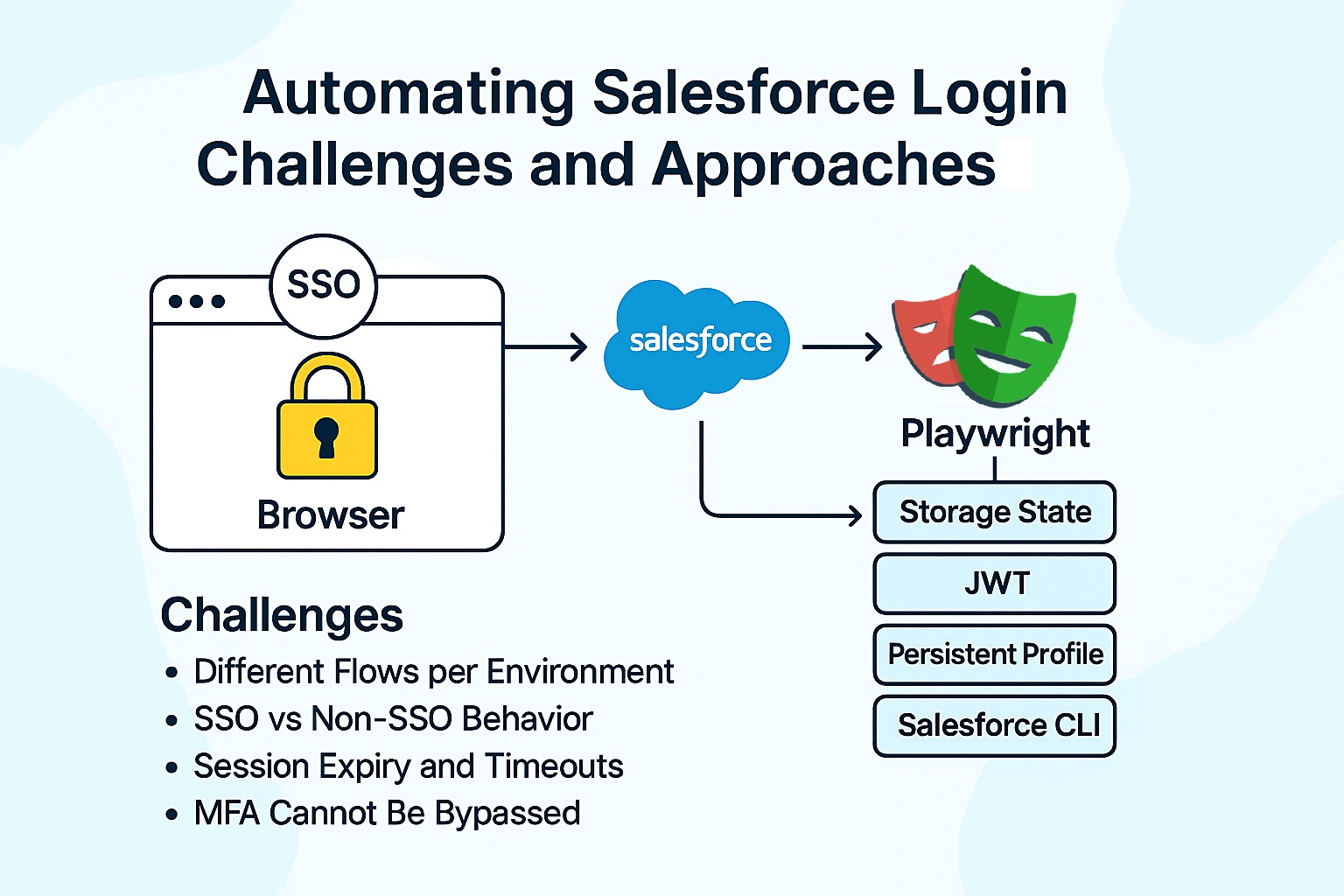
- Playwright Storage State – log in once, save the authenticated session to a JSON file, and reuse it.
- Salesforce Connected App with JWT – use OAuth 2.0 JWT Bearer flow to get an access token and try to apply it to UI tests.
- Persistent User Data Directory – run Playwright with a persistent browser profile that keeps cookies and tokens across runs.
- Salesforce CLI / Token‑Based Login – authenticate via SFDX and see if those tokens can help with UI automation.
We will cover each of these approaches in detail in our upcoming blog post.
