
 Book Free Consultation

Content Builder: Features, Benefits, And Best Practices
Provides an overview about Content Builder features and how it is beneficial to content builders & it's best practices in the Salesforce Marketing Cloud.
By Giritharakannan Devaraj
Salesforce Developer
Content Builder: Features, Benefits, and Best Practices
In today's fast-moving world, there are a lot of conversations that takes place every second through SMS, Email, Voice Message or Phone Calls. Regardless of the channel, one thing remains constant and that is the content. In addition, everyone knows the power of word and how important it is to give a better experience in a conversation. For every interaction, content plays a vital role.
Such a way, Salesforce Marketing Cloud offers a powerful tool to create a content to make a wonderful conversation for marketing purpose and the tool is Content Builder. Take a cup of coffee, sit back, relax and explore this blog to learn how Content Builder helps Salesforce Marketing Cloud to create content effectively.
What is Content Builder?
Content Builder is a Content Management tool designed to create and manage content in a single location for Marketing Cloud Engagement like preparing contents for sending an email message, SMS etc. It streamlines the content creation process by providing a user-friendly interface, templates, and various features that help create rich and engaging content quickly. It can easy the content creation process for engaging the customers quickly with quality content for users who engaging the customers in Marketing Cloud.
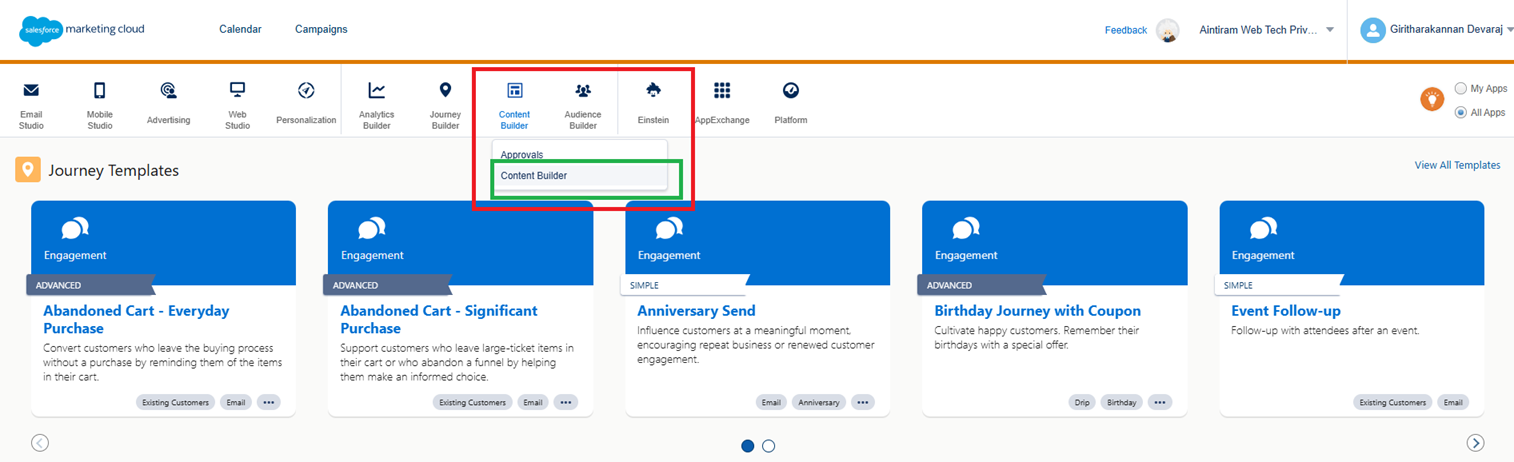
From the above Marketing Cloud landing screen, Click Content Builder Tab & click Content Builder in the dropdown menu to navigate Content Builder work location, then it navigates to below page.
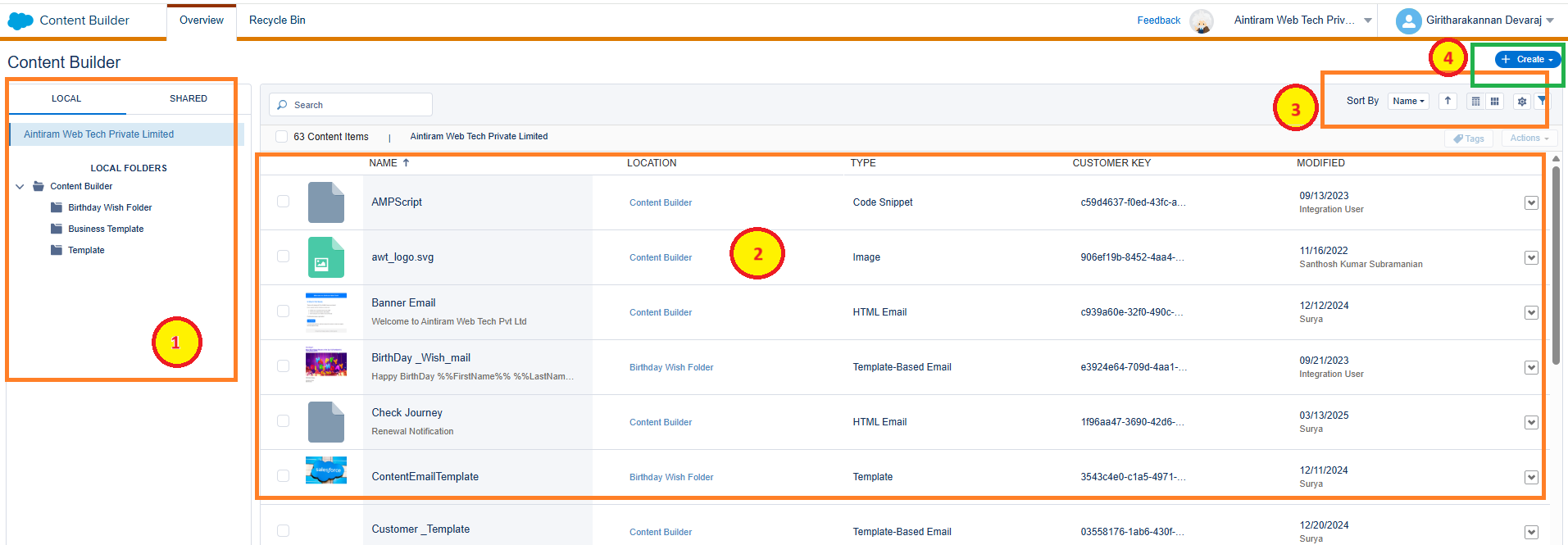
- Left Side Panel - You can view the folder structures which were created in the Content Builder and which holds the template that was created under that folder.
- Template List Panel - You can view all Content Builder templates are created in the Content Builder. If you click folder names from the left side menu, you will see the respective templates in this area.
- List Setup Options - You can view the sorting options to sort the list by headers, list view or card view option for better visibility, and filter options to filter out the templates among all the templates. It helps you to customize the list of templates shown for the respective folder as per your need.
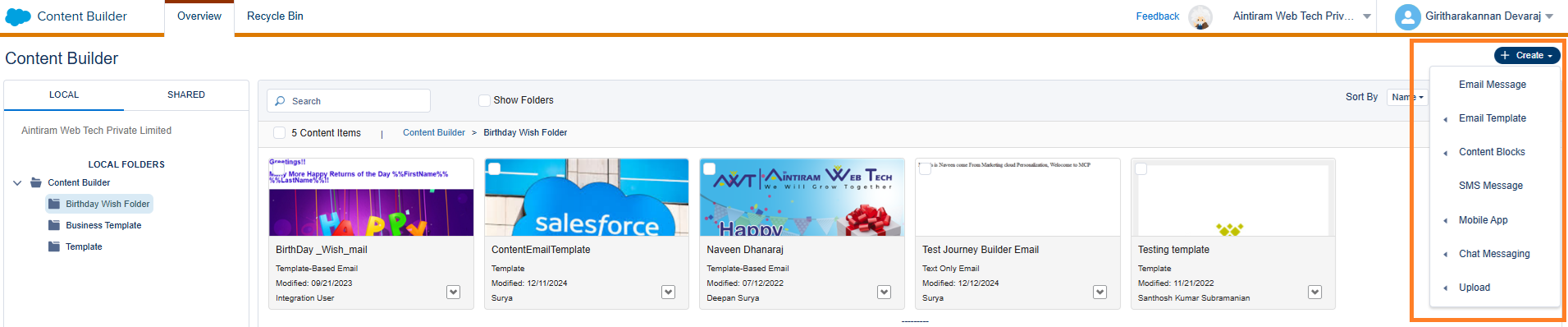
- Create Button - You can view the Create + button in the top right corner and by clicking the button, you can view below dropdown menu which lists the content creation tools which are used to create contents with various formats.
Various Content Types
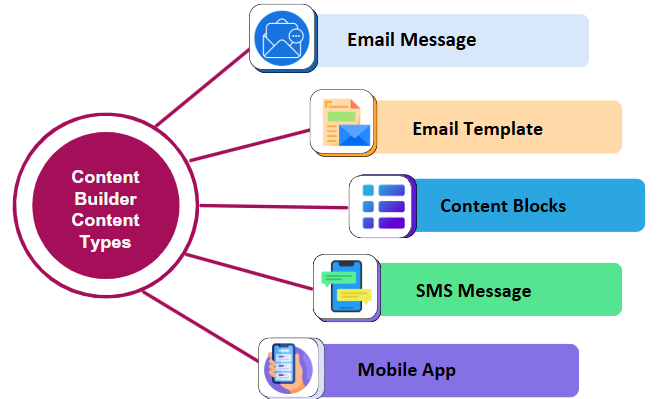
- Email Message - We can create emails from scratch or from the various email templates that include multiple options to customize. Like, creating various type of Salesforce email templates, we can create email messages with simple text format, or using HTML code to generate contents, or using any other templates. In addition, you can create emails directly from email studio by using the Content Builder.
- Email Template - Basically, you know that right? for creating the email messages, we can use the email templates and it holds lot of themes for creating email templates. There are lot of customization is there in the Content Builder to create email template for better content creation.
- Content Blocks - Content blocks are the blocks were actual content takes place in the email message. Contents are in the format of email message like, adding the button, adding the code snippet, adding the merged fields to generate dynamic contents, HTML code, attaching the image or document, any kind of links, any kind of subscription icons or simple texts in the email message.
- SMS Message - For creating the SMS messages, we are using the Content Builder to generate the contents to send mobile message like email message. Content builder not specific to email messages, it is used for creating the SMS & Mobile application messages as well.
- Mobile App - For creating the mobile application messages, we are using the various layouts, designs features in Content Builder with the extortionary styles.
What are the features of Content Builder?
- Drag & Drop Interface - Users can quickly assemble content by dragging and dropping the elements into place easily.
- Templates & Themes - Pre-designed structures that help users get started faster.
- Responsive Design - Content Builder often include templates that automatically adjust to different screen sizes (desktop, mobile, tablet).
- Media Integration - Easy insertion of images, videos, and other media types.
- SEO Optimization - Tools to optimize content for search engines (such as meta tags, keyword suggestions, etc.).
- Content Management - Organization tools that allow easy content categorization, scheduling, and version control.
What are the benefits of Content Builder?
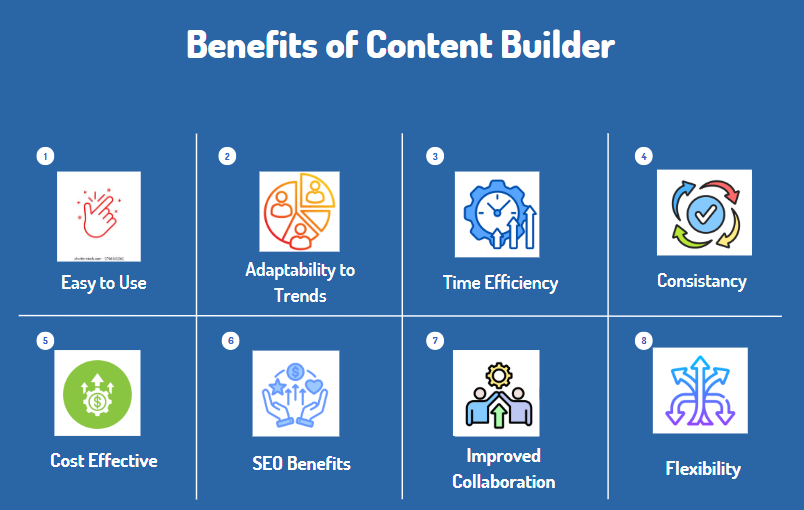
- Ease of Use: Content Builders simplify the content creation process, allowing users with little to no technical experience to create professional-grade content.
- Time Efficiency: With templates and drag & drop features, content can be created much faster than coding from scratch.
- Cost Effective: Reduces the need for developers or designers to create content, making it a more budget friendly option for businesses.
- Consistency: Helps maintain a consistent look and feel across all content, which is important for branding and user experience.
- Improved Collaboration: Teams can collaborate on content in real time, streamlining workflows and improving productivity.
- SEO Benefits: Many Content Builders come with built in SEO tools to help content rank better on search engines.
- Flexibility: Whether for blogs, websites, social media, or landing pages, Content Builders are versatile and adaptable to different needs.
- Adaptability to Trends: Helps users stay up to date with design trends without needing to redesign or rework existing content.
Best practices of Salesforce Marketing Cloud Content Builder
- Use content blocks to create responsive email designs.
- Send targeted messages using the dynamic contents
- Increase engagement & click through rate by using the interactive email content,
- Use the power of Einstein in your content blocks in Content Builder. Einstein will automatically do activities to provide a better user experience.
- Organizing the contents with folders.
- Test before publishing.
Conclusion
Salesforce Marketing Cloud Content Builder is the ultimate solution for businesses looking to create, manage, and optimize their marketing content efficiently and at scale. Hope you will get an overview about Content Builder with your tasty coffee.
This is just a beginning, stay tune and follow the blog page for our next blog which diving deep into Content Builder Tools with examples.
